NightCafe Studio Review: Exploring Its Creative Potential
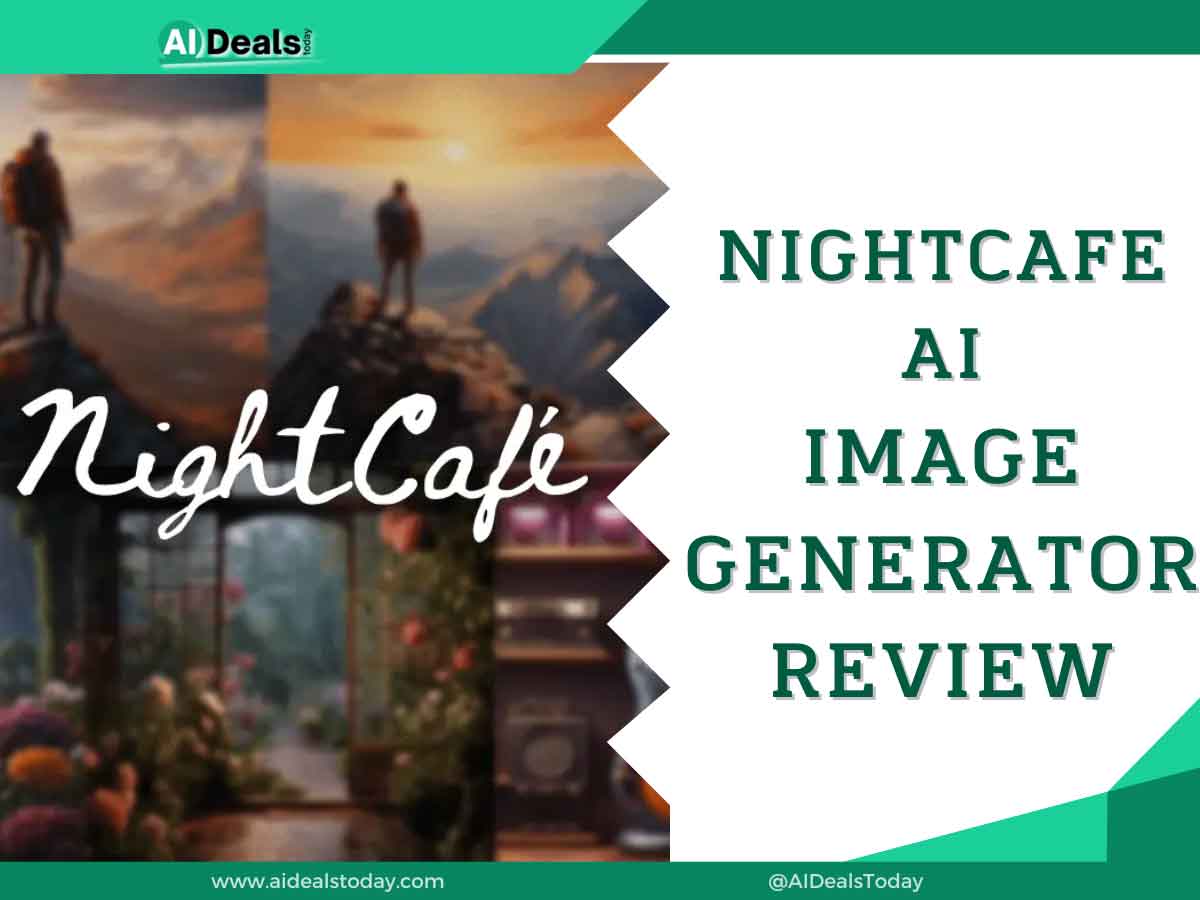
Are you curious about NightCafe Studio? This app is making waves as an AI-powered tool for creating art, catering to both professionals and casual users. By inputting basic text prompts, anyone can produce impressive images.
However, with numerous image-generating tools available today, selecting the right one can be challenging. This review aims to provide insights into NightCafe Studio, helping you determine if it suits your needs. It covers my personal experience with the platform, highlights its key features, and discusses both its strengths and weaknesses. Would you like to know more details about NightCafe Studio or anything else?
Pros And Cons of NightCafe Studio
Pros
- Can convert your text into stunning images using advanced AI
- Very easy to use
- Free credits to get started
- Cost-effective, time-efficient, and can be used for various things
- Lets you customize the image-generating experience
Cons
- Very limited control over your creativity
- Requires stable internet connection and can only be used on the web browser
- Missing advanced tools for professionals
- Output images are often similar
NightCafe Creator Features
NightCafe is a great example of an all-in-one AI art generator. It has an extensive list of useful features with stunning visual outputs. Let’s have a look:
1. Text To Image
NightCafe Studio can transform simple text descriptions or captions into visual images. For instance, when I typed “A man with a flag after the war” during my review, it created the corresponding image shown below.
2. Image To Image
In addition to its text-to-image functionality, NightCafe Studio also offers image-to-image capabilities. During my experience with the app, I provided a reference image, and NightCafe generated a new image based on that reference. You can further enhance your creations by adding text and blending your ideas with the reference image, resulting in stunning and creative outputs.
3. Multiple Modes and Styles
NightCafe Studio provides a wide range of modes and artistic styles for creating artwork. You can generate oil paintings, anime-style 2D or 3D art, and much more by specifying your preferences.
In the basic modes, there are preset styles such as artistic portrait, NightCafe, striking, anime, hyperreal, vibrant, and others to choose from. For more flexibility and customization, advanced mode offers additional options to tailor the styles according to your preferences.
4. Advanced Customization
Despite primarily functioning as a text-to-image generator, NightCafe provides a plethora of tools and options for a highly customized experience. Beyond generating simple outputs, users can achieve unique artworks by adjusting various settings.
These settings include Prompt Weight, Refinder Weight, Seed Number, Resolution, and Runtime, among others. These tools allow users to fine-tune the output according to their preferences, resulting in more personalized and creative results.
5. Print
Once you’ve created stunning artwork using NightCafe, you have the option to obtain a high-quality print copy. NightCafe offers an on-demand printing service for this purpose, allowing you to get physical prints of your art. However, please note that this service may come with an additional cost.
6. Community
NightCafe offers a convenient community-sharing feature where users can generate an image and publicly share it with others. This allows them to gain followers, receive comments, and get feedback on their creations.
One of the standout benefits of sharing your artwork is the potential to earn free credits. Each credit earned can be used to generate an additional image at no cost, enhancing the creative possibilities for users.
NightCafe Pricing
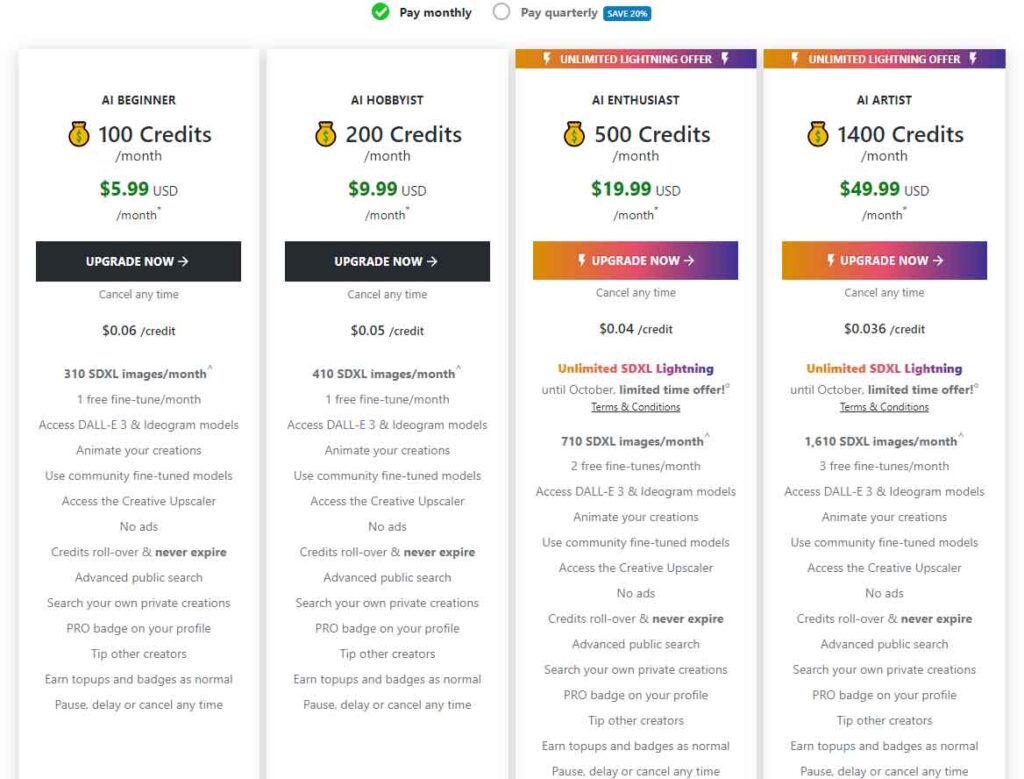
To use NightCafe and generate art, you’ll need at least one credit. There’s a free plan that provides 5 credits daily, but to exceed this limit, you’ll need to subscribe to a paid plan.
NightCafe offers two pricing models: Monthly and Quarterly. The Monthly plan starts at $5.99 per month for 100 credits, while the Quarterly plan starts at $14.37 for 3 months with 100 credits allocated each month.
New users may receive bonus credits with their first purchase, depending on ongoing promotional campaigns. Unused credits will carry over to the next month, ensuring they aren’t wasted.
If you accidentally subscribe to a plan, NightCafe allows refunds if the request is made within 7 days of purchase. This policy provides flexibility and ensures users can manage their subscriptions effectively.
Here’s the full pricing table:
| Monthly | Quarterly | Credits/Month | Free Fine-Tunes/Month |
|---|---|---|---|
| $5.99 | $14.37 | 100 | 1 |
| $9.99 | $23.97 | 200 | 1 |
| $19.99 | $47.97 | 500 | 2 |
| $49.99 | $119.97 | 1400 | 3 |
NightCafe also charges you for the printing service. The prices may vary, depending on the size of the paper. It usually starts at $48.
Is NightCafe Safe and Legit?
NightCafe is recognized as a safe and legitimate AI image generator, widely trusted for its reliability. However, like all AI generators, privacy considerations are important.
NightCafe employs encryption to safeguard user data, yet it’s advisable to refrain from including personal details in your text prompts. As a reputable company, NightCafe prioritizes user privacy and implements measures to ensure safety throughout its service.
For detailed information on how NightCafe protects user privacy, you can refer to its privacy policy page, which provides comprehensive insights into its practices and commitments.
Verdict
Overall, NightCafe stands out as one of the most advanced AI image generator services available today. It consistently produces impressive outputs and is user-friendly.
However, achieving your desired artwork can require some skill in refining your prompts for optimal results. NightCafe supports this learning process by offering free credits for practice.
In my view, NightCafe is an excellent choice for creating images, whether for personal projects or hobbies. Yet, for professional users, it may not always meet expectations in certain situations. Enhanced customization features could further elevate its suitability for professionals.
I hope this NightCafe Studio review has provided valuable insights to help you decide. If you’ve used this AI image generator before, feel free to share your thoughts in the comments below.