LogoAi Review: User Experience and Key Highlights
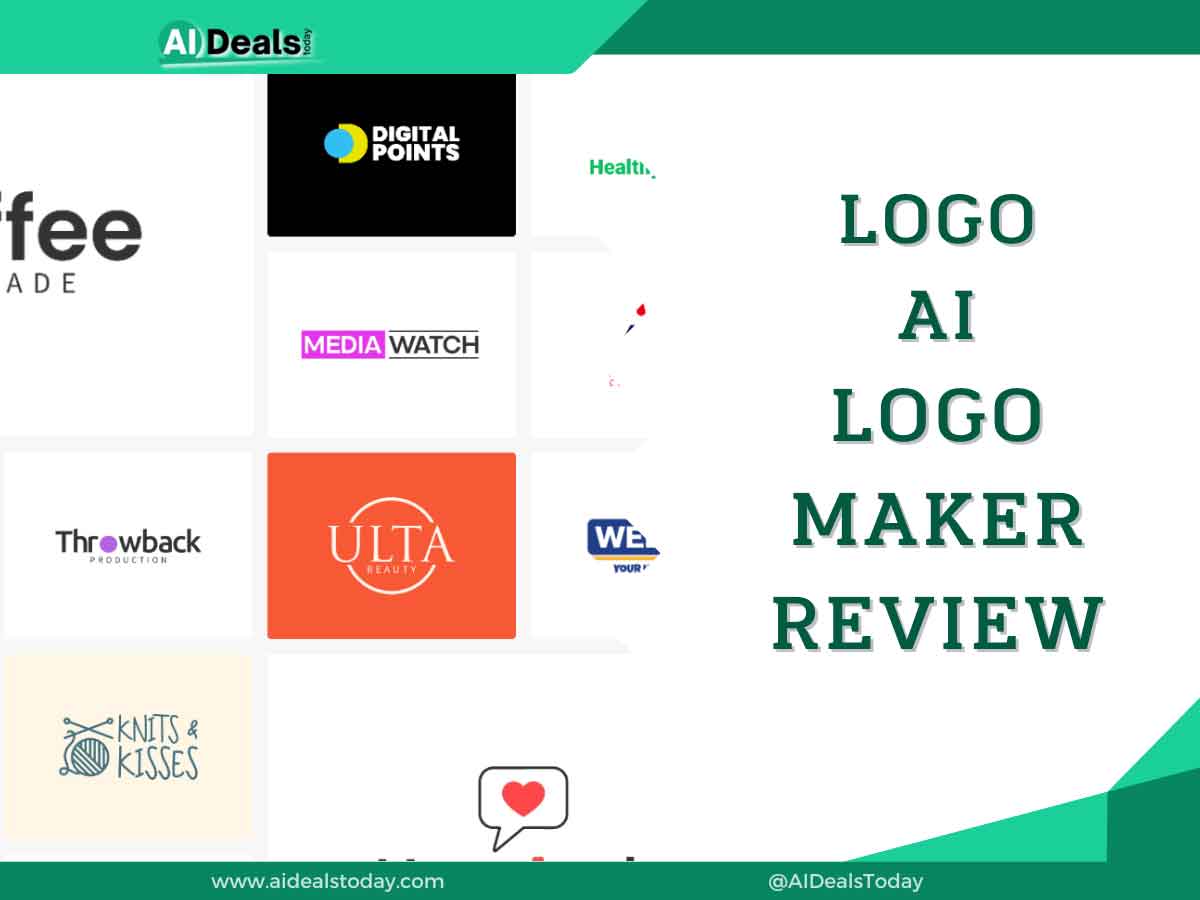
LogoAi is a user-friendly AI tool that quickly creates attractive logos. It offers a wide selection of 3.5 million logo templates and a simple editor for customizing your logo to fit your brand. Startups can use LogoAi to design their entire brand kit, including business cards and mockups.
While LogoAi excels at logo generation, it lacks the polish found in some competitors’ brand kits. Despite this, it provides excellent value for money, especially for small businesses. If you’re considering using LogoAi, read our full review where we compare it with other popular AI logo generators to help you make an informed decision.
Pros And Cons Of LogoAI
Pros
- Huge library of 3.5 million templates
- Allows downloading vector files
- Create your entire brand identity on the platform
- Transparent PNG and high-resolution images
Cons
- You can change the logo name and symbol only within three days of your purchase
- No free trial or free plan
In our comprehensive review of LogoAi, we delve into its capabilities as a powerful AI-driven logo generator and brand-building tool. Overall, LogoAi stands out for its user-friendly interface and speed in creating logos.
However, the absence of a free trial may deter some potential users. In this detailed review, we explore LogoAi’s features, pricing, and compare its performance with other competitors in the market. Join us as we examine whether LogoAi is the right choice for your branding needs.
What is LogoAi Used for?
LogoAi is an online AI logo generator packed with a massive library of around 3.5 million logo ideas. You have the freedom to edit and customize your chosen designs. But LogoAi isn’t just about logos; it offers a range of tools for your business branding needs. You can create social media posts, business cards, mockups, product photos, and profile pictures.
In addition to logo creation, LogoAi features a name generator that suggests unique names for startups and an icon generator that produces various icons for your logo. This all-in-one AI-powered tool is designed to streamline your branding process and give your business a professional edge.
LogoAi Pricing
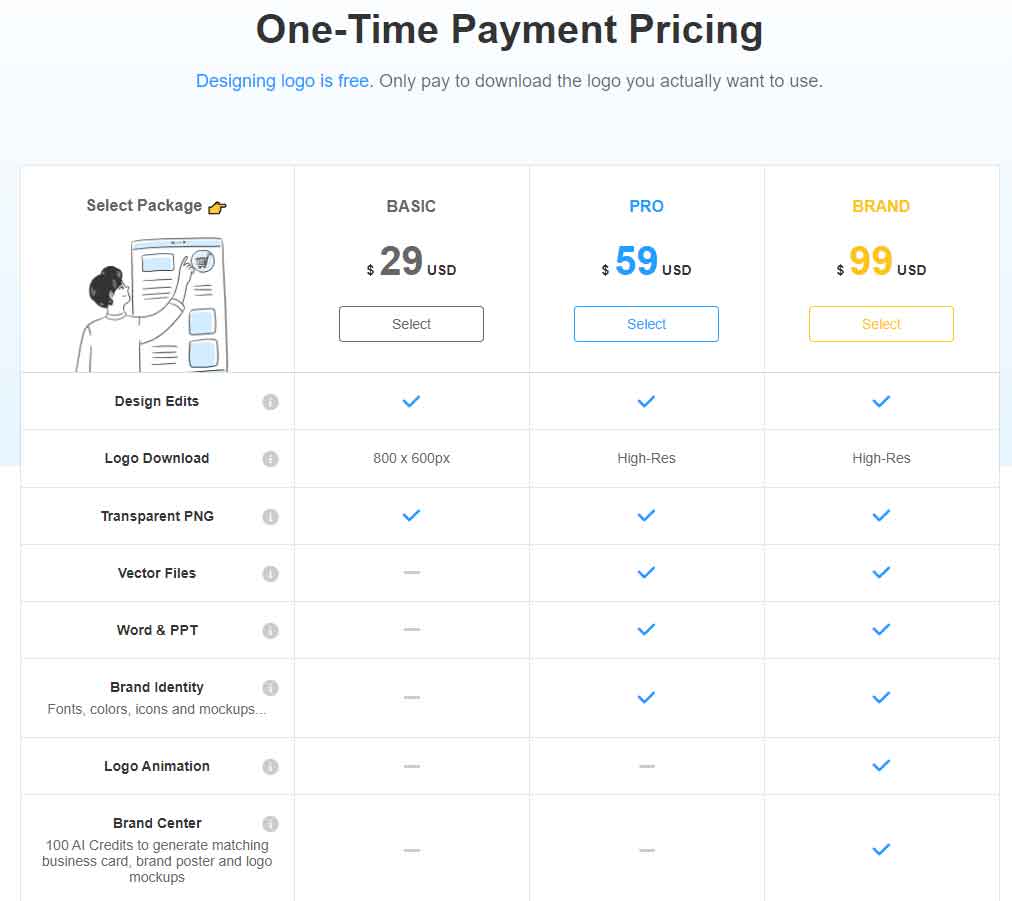
LogoAi provides three subscription plans: Basic, Pro, and Brand. Unlike some other AI-powered logo generators, LogoAi operates on a pay-per-logo pricing model.
One notable advantage is that LogoAi offers discounts to returning customers. However, unlike GetIMG, which allows users to generate 100 free images a month, LogoAi does not have a free version available.
It’s important to note that all LogoAi plans offer various features, and designing and editing your logo is free of charge. However, you’ll need to pay to download the finalized logos. Let’s take a closer look at each plan:
| Plan | Starting Price | Free Version | Image Quality | Transparent PNG | Brand Assets | Logo Animation | Templates |
| Basic | $29 | ❌ | 800 x 600 px | ✅ | ❌ | ❌ | ✅ |
| Pro | $59 | ❌ | High-Res | ✅ | ❌ | ❌ | ✅ |
| Brand | $99 | ❌ | High-Res | ✅ | ✅ | ✅ | ✅ |
Basic Plan $29
With LogoAi’s Basic Plan, priced at $29, you receive an 800 x 600 pixel logo in a transparent PNG format, perfect for a clear background on business cards and other materials. Within three days of purchase, you can edit your logo’s name and symbol, with further changes available free of charge anytime.
Comparing this to competitors like Looka, which offers a $20 package, LogoAi may seem pricier. However, Looka lacks transparent PNG files and post-purchase editing capabilities.
While LogoAi offers competitive features, it falls slightly behind GetIMG, which provides high-resolution images, an image-to-video editor, and over 15 ControlNets for just $12 per month. It’s worth noting that GetIMG is tailored more towards logo-designing businesses serving other businesses, rather than individual users.
Pro Plan $59
With LogoAi’s Pro plan, priced at $59, you gain access to high-resolution logos and vector files in addition to all the features of the Basic plan. Vector files are top-notch images that maintain their sharpness even when resized or cropped, allowing for easy editing without loss of quality.
Moreover, the Pro plan offers matching brand identities such as mockups, along with Word and PPT templates tailored to your logo. Despite being more affordable than Looka’s $65 Premium Logo package, LogoAi’s Pro plan lacks unlimited edits. However, it compensates with a range of branding elements to enhance your logo’s presentation and integration into various materials.
Brand Plan $99
In addition to the features offered in the Pro plan, LogoAi’s Brand plan provides cutting-edge animated logos and 100 AI credits. These credits enable you to generate business cards, brand posters, and logo mockups that align seamlessly with your brand.
Furthermore, LogoAi offers the ‘Designer Manual Fix’ add-on for $40 with every plan. This service connects you with in-house designers who can manually edit your logo’s elements, providing a level of customization beyond what AI can achieve.
LogoAi Key Features
Let’s look at some of LogoAi’s features that make it one of the best AI tools for crafting professional logos.
1. Logo Maker
LogoAi is among the simplest logo makers we’ve encountered in our reviews. Just input your brand name, select your industry, a color theme, and font, and you’re set! The platform will generate multiple logo options for you to browse through. You even have the flexibility to choose multiple fonts and color themes to generate a wide array of logo options. It’s as easy as that!
2. Logo Ideas
If you prefer not to start from scratch, simply click on the ‘Logo ideas’ option at the top of your LogoAi dashboard. Here, you’ll find a vast collection of 3.5 million logo ideas and design templates.
Scroll through the options, find a logo design you like, and then customize it to suit your branding. You’ll have access to three editing options:
- Style: Choose from a variety of design options displayed on the left side of your screen.
- Fonts: Although there are only eight font options available, they are commonly used by popular brands like Instagram, Disney, and Sony.
- Color: Select from seven color palettes including warm, cold, pastel, gradient, and more. The logo AI engine will instantly generate unique logos based on your chosen color scheme.
In addition to creating professional logos, LogoAi offers a range of brand elements that you can design effortlessly.
Mockups
Once you’ve settled on a logo design, LogoAi enables you to visualize it in various contexts by creating unique mockups. These mockups allow you to see how your logo will appear in different formats, including:
- Ads
- Business cards
- Packaging
- News articles
- Store banners
- Accessories
- Digital screens
This feature helps you assess how your logo will look across different mediums, ensuring its versatility and effectiveness in representing your brand.
Product Photos
For product-driven businesses, especially online stores, investing in professional product photography can be costly. However, LogoAi offers a convenient solution. Simply upload a photo of your product, and its advanced AI technology will generate multiple product images with various backgrounds and colors.
During our testing, we were impressed by the option to choose from different backdrops, including minimal light, indoor desktops, fabric paper, and greenery displays. Once you’ve selected a design, you can customize it to align with your branding. This includes adding text, adjusting smart layers and backgrounds, and editing the main element as needed.
With LogoAi, creating compelling product images has never been easier or more accessible.
Business Cards
LogoAi simplifies the process of creating business cards. You have the option to upload your business logo or choose from a selection of card templates. Once you’ve selected a design, you can personalize every element on the card.
Add essential details such as your name, title, company name, phone number, email address, and website. Moreover, LogoAi allows you to edit individual elements on the card. For instance, you can click on a text box to adjust its font, size, color, and other specifications.
With LogoAi, designing professional and customized business cards is straightforward and hassle-free.
LogoAi Performance
LogoAi stands out as one of the most user-friendly yet powerful tools for logo generation. In our hands-on testing, we were able to create logos within minutes, all without the need for professional designers. One of the standout features is the vast library of 3.5 million templates available for selection. Editing logos is a breeze, and we encountered no lags or glitches during our testing.
Moreover, we were impressed by the high quality of the output and the ease of sharing the finalized logos. Overall, LogoAi is an excellent choice for businesses seeking a top-notch logo generator that excels in every aspect.
LogoAi Integrations
LogoAi, like many AI logo generators, does not provide third-party integrations. While some may see this as a limitation, it’s common among such platforms, which are primarily designed to function as standalone tools for creating logos and images.
With AI technology handling the bulk of the design work, the need for extensive team collaboration integrations is minimized. Unlike traditional design processes that may involve multiple designers, AI-driven logo creation streamlines the process significantly.
Furthermore, it’s worth mentioning that competitors of LogoAi, such as GetIMG and Looka, also do not offer third-party integrations. Thus, LogoAi’s lack of integrations is in line with industry standards for AI logo generators.
LogoAi Customer Reviews
While LogoAi is still gaining traction, the limited reviews available are generally positive, highlighting the tool’s features, accuracy, and design capabilities. Users appreciate the ability to create eye-catching logos quickly, with a wide selection of customizable templates to choose from, allowing them to align their brand’s personality and vision effectively.
However, there have been some claims of misleading advertising, with a few users alleging that LogoAi falsely promises free logo generation. In reality, LogoAi’s website clearly states that logo design is free, but downloading the finalized logo requires payment.
Upon our assessment, we found no evidence of misleading information on LogoAi’s website or elsewhere. The platform’s pricing structure and process are transparent, with no hidden fees or deceptive practices.
LogoAi vs Top Competitors
With AI evolving at a rapid rate, there are many tools for AI-generated logos. However, not all of them are created equal, and very few of them deserve your time and money.
Here’s how it compares to some popular LogoAi alternatives:
| AI Logo Generators | Best For | Starting Price | Free Version | Top 3 Features |
| LogoAi | Creating brand assets | $29 per logo | ❌ | Logo designer, Vector files, Brand elements |
| GetIMG | Free logo creation | $12/month | Free forever plan | Image to video generator, Image editor, 15+ ControlNets |
| LookaAI | Brand kit designing | $20 per logo | ❌ | Unlimited post-purchase changes, Social posts and profile management, Business cards |
| Designhill | In-person logo creation | $249 | ❌ | Professional logo designing, 100% money-back guarantee, Quick turnaround |
| Turbologo | Free logo generation | $19.99 per logo | Free forever plan | 3-month editing period, Complete brand kit, Free logo generator |
LogoAi Vs GetIMG
If you’re in need of a dedicated image generator specifically for logos, LogoAi is the ideal choice. With a vast library of around 3.5 million logo templates, you have plenty of options to explore. You can download your logo in high resolution, along with formats like vector files and Word & PPT files for added versatility. However, high-resolution downloads come at a price of $59.
On the other hand, if you’re looking for a more budget-friendly option that covers a wider range of design needs, GetIMG is worth considering. While not exclusively focused on logos, GetIMG’s text-to-image AI generator can still produce quality results.
The best part is that you can create up to 100 images per month for free. Additionally, for just $12 per month, you gain access to features like an image-to-video generator, an image editor, and an AI canvas, making it a comprehensive solution for various design tasks.
LogoAi Vs LookaAI
LogoAi and Looka both offer dedicated AI-powered logo generation services. However, if affordability is a priority, LogoAi may be the better choice. While Looka initially appears cheaper at $20, it only provides a PNG file (1000 x 1000 px) with no editing capabilities.
In contrast, LogoAi offers a transparent PNG file along with an 800 x 600 px logo. Despite the lower resolution, LogoAi allows edits for up to 3 days after downloading the logo. Moreover, you can upgrade to LogoAi’s Pro plan to access vector files and high-resolution images.
For small businesses seeking a comprehensive brand kit designer, Looka could be a suitable option. Looka enables you to create social media posts, business cards, email signatures, and more tailored to your branding. While LogoAi also offers some of these features, Looka provides a wider selection of templates and editing options.
Ultimately, the choice between LogoAi and Looka depends on your specific needs and budget constraints. If affordability and logo customization are paramount, LogoAi may be the preferred option. However, if you require a broader range of branding tools and templates, Looka could be the better fit.
LogoAi Vs Jasper
Jasper AI is highly regarded as one of the top content generators, catering to small businesses, marketing teams, and bloggers. With its Pro plan priced at $59 per month, users can generate SEO-friendly and plagiarism-free content across various formats such as blog posts, articles, newsletters, and emails.
However, if your primary requirement is logo creation, Jasper AI might not offer the best value proposition. In contrast, LogoAi specializes in producing professional logos and allows you to design a complete brand kit that aligns with your logo’s theme, including items like business cards and banners.
Moreover, LogoAi offers a one-time fee starting from just $29 for your logo, making it a more cost-effective option for logo design needs.