DeepBrain Review: Features, Pros, and Cons
With videos reaching 91.8% of Internet users globally, it’s undeniable that video content has become essential for effective communication. Whether promoting a product, delivering training material, or engaging with your audience on social media, videos offer a dynamic and engaging medium to convey your message.
However, for many individuals and businesses, creating video content has been daunting due to challenges like camera shyness, equipment costs, hiring actors, and the complex production process.
But imagine a solution that empowers even the most camera-shy individuals and makes video creation more accessible and cost-effective than ever before. Enter DeepBrain AI, an AI avatar generator harnessing artificial intelligence to create lifelike human avatars for various video content.
In this DeepBrain AI review, I’ll delve into what DeepBrain AI is and share my personal experience. I’ll explore the four main methods of generating realistic videos using DeepBrain, providing you with a behind-the-scenes look. Plus, I’ll even showcase a video I generated in just a few minutes using the ChatGPT functionality!
Following that, I’ll discuss the pros and cons of DeepBrain, who should consider using it, and my top three alternatives. By the end, you’ll have a clear understanding of DeepBrain AI and whether it’s the right tool for your video creation needs.
So sit back, relax, and let’s dive into exploring DeepBrain AI and its features!
What is DeepBrain AI?
Established by Eric Jang in 2016, DeepBrain AI stands as an innovative technology company specializing in AI-driven video synthesis solutions. Their cloud-based platform allows users to swiftly and effectively generate lifelike AI avatar videos, including content powered by ChatGPT.
With over 100 avatars crafted from real individuals speaking more than 80 languages, spanning various ethnicities and ages, DeepBrain AI ensures your AI avatar perfectly reflects your brand’s identity. This versatility enables the creation of diverse content, from educational materials to training videos and beyond.
By eliminating the need for traditional video production resources and extensive camera work, DeepBrain AI empowers businesses and individuals to produce hyper-realistic, customizable videos, making it an invaluable tool for content creation and marketing endeavors.
How Does DeepBrain AI Work?
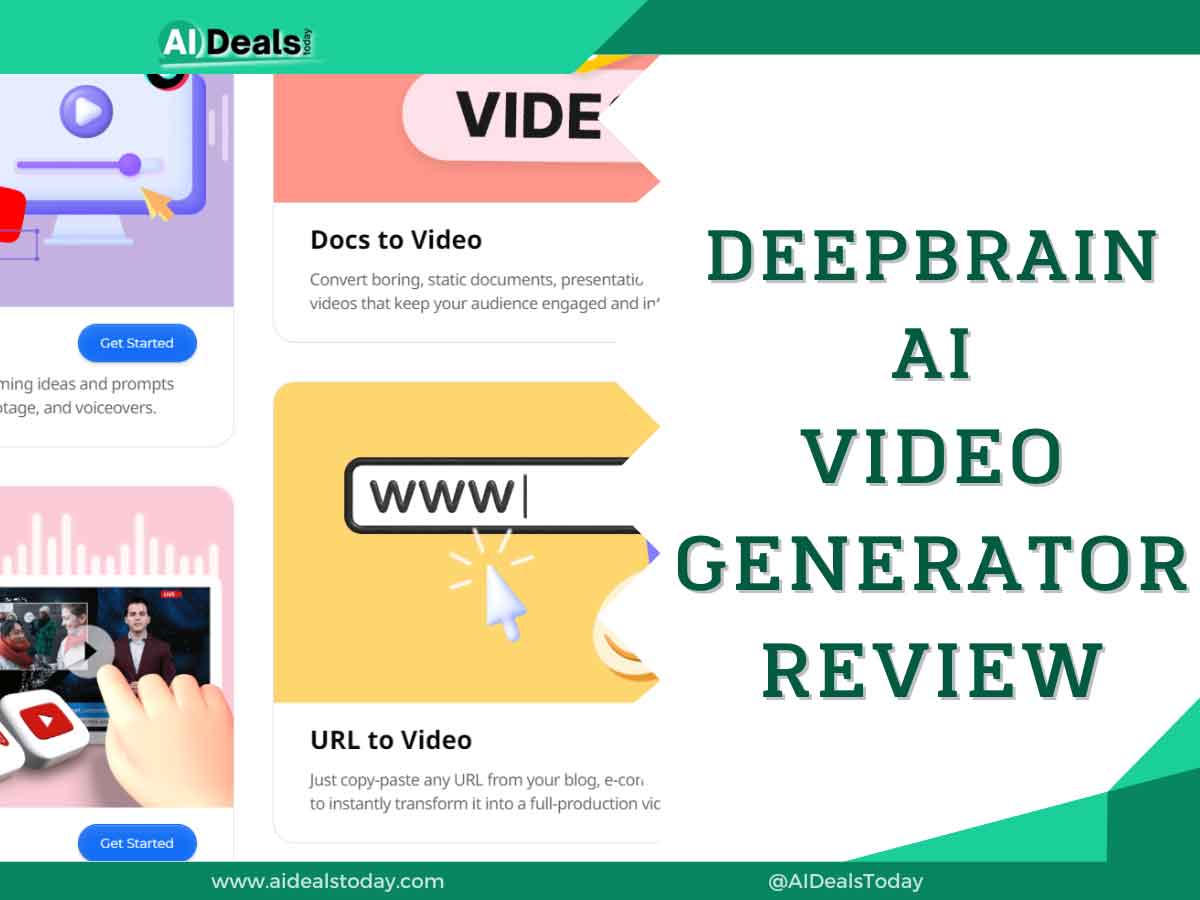
In this section, I’ll share my personal experience with DeepBrain AI, where I explored all four methods of creating AI videos: ChatGPT, URL conversion, PowerPoint conversion, and starting with a template. This will provide you with a comprehensive overview of DeepBrain AI’s capabilities.
To begin, I navigated to the DeepBrain AI website and created an account using my Google credentials (although any email would suffice). Upon logging in, I was greeted with the DeepBrain dashboard, offering four options:
- Create AI Video with ChatGPT: Utilize the integrated GPT-3 to generate dialogue for your AI avatar without the need for script writing.
- Convert URL to AI Video: Transform online content, such as articles or blog posts, into AI videos by inputting the URL.
- PowerPoint to Video: Simply drag and drop your PowerPoint file onto the platform, and watch as DeepBrain AI converts it into a dynamic video presentation featuring an AI avatar.
- Start with a Template: Choose from a wide selection of templates available in the DeepBrain AI library to create an AI video from scratch.
I tested each of these methods to provide you with an inside look into the platform’s functionality!
Pros and Cons
Pros
- A cast of over 100 AI avatars.
- ChatGPT integration works seamlessly.
- The interface is clean and straightforward to navigate, making customization easy.
- Multiple export options, including Video, Audio, and Chromakey.
- 65+ templates, including vertical orientation options for social media content.
- ChatGPT integration and audio recording and uploads to assist with writing the script.
- There are lots of video editing tools for customization, including stock photos and videos to add to your video.
- Text-to-video offers over 80 languages, such as English, Spanish, Chinese, German, French, Hindi, Arabic and more.
- Add pauses and adjust the speed.
- No watermark on any plans.
Cons
- Despite DeepBrain AI’s many advantages, there are a few areas where it could be improved.
- Inability to preview the video.
- Inability to customize the AI model exactly how you’d like it to look.
- There may be some formatting issues.
- Inability to add captions.
Who Should Use DeepBrain AI?
DeepBrain AI is an intuitive tool that can benefit individuals across various fields:
1. Marketers
Marketers can leverage DeepBrain AI to showcase new products or services. With its flexibility and diverse range of templates, marketers can efficiently reach a broader audience and create professional-looking videos that effectively promote their offerings.
2. Businesses
DeepBrain AI finds utility across industries like finance and healthcare, enabling businesses to craft promotional videos, training materials, and presentations.
3. Content Creators
Whether YouTubers, podcasters, or bloggers, content creators can utilize DeepBrain AI to generate captivating video content, enriching their online presence and engaging their audience.
4. Fitness Professionals
Fitness instructors and trainers can employ DeepBrain AI to develop workout videos, instructional guides, and motivational content for their clients, enhancing their training programs.
5. Language Enthusiasts
With support for over 80 languages, DeepBrain AI proves invaluable for language enthusiasts. Whether learning or teaching a language, it facilitates the creation of engaging and informative video content tailored to a global audience.
6. Educators
DeepBrain AI serves as a valuable resource for educators, allowing them to create instructional videos for customer service, lesson plans, and educational content. With its user-friendly interface and customizable features, teachers can enhance their teaching materials, fostering interactive and enjoyable learning experiences for students.
DeepBrain AI Pricing
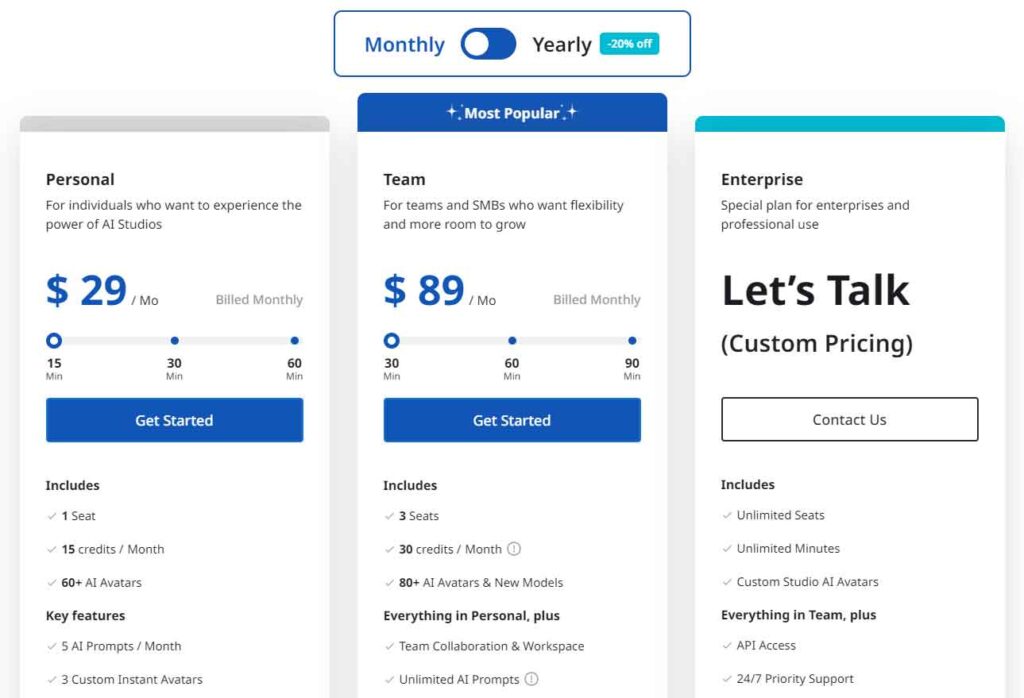
DeepBrain AI offers both monthly and annual subscription plans. The Starter plan is priced at $24 per month, while the Pro plan costs $180 per month. Both annual plans come with a 20% discount, although the exact discounted amounts are not specified. For Enterprise needs, pricing is customized according to specific requirements.
It’s important to note that VAT and additional processing fees may apply, so be sure to review their pricing page for comprehensive details and any potential additional costs associated with your subscription.
Top 3 DeepBrain AI Alternatives
Several great options are worth considering if you’re looking to explore alternatives to DeepBrain AI that we’ve encountered:
- Synthesys
- Synthesia
- HeyGen
1. Synthesys
Synthesys presents itself as a robust alternative to DeepBrain AI, boasting advanced text-to-speech technology ideal for businesses and content creators seeking high-quality audio content creation. With its natural-sounding voices and precise pronunciation, Synthesys proves ideal for generating explainer videos and product tutorials in minutes.
While Synthesys offers over 140 languages compared to DeepBrain’s 80, it falls short in avatar selection, featuring 69 avatars compared to DeepBrain’s extensive cast of over 100 AI avatars. Nevertheless, Synthesys remains a powerful tool for those prioritizing audio content creation, offering efficient and effective solutions for various industries and purposes.
2. Synthesia
Synthesia stands out as another AI video generation platform, leveraging AI voiceovers and text-to-speech technology to swiftly produce high-quality videos within minutes. Notably, these voiceovers include captions, ensuring accessibility for viewers with hearing impairments and broadening your audience reach.
With over 140 avatars and support for more than 120 languages, Synthesia offers extensive options surpassing those of DeepBrain AI. Moreover, the platform allows for the creation of custom avatars, enabling users to transform themselves into avatars for presentations or messages, eliminating concerns about lighting, cameras, etc.
While Synthesia provides slightly fewer templates than DeepBrain, with over 50 available, users can upload their brand assets and customize templates to align with their brand identity.
In summary, Synthesia emerges as an exceptional AI video generator choice for businesses and content creators, offering a wide array of features to facilitate efficient and customizable video creation processes.
3. HeyGen
HeyGen emerges as another compelling alternative to DeepBrain AI, focusing on crafting high-quality business videos using generative AI technology. Notably, HeyGen offers extensive personalization options, allowing users to create avatars resembling themselves by recording their voice or converting a photo into a dynamically animated photograph.
Using HeyGen is a straightforward process, comprising just three simple steps: selecting from over 100 avatars representing various ethnicities, age groups, and poses; typing the script; and generating the video. Additionally, HeyGen boasts a wide range of over 300 voices available in more than 40 languages, ensuring users can find the perfect voice to match their video content.
HeyGen surpasses DeepBrain AI in template selection, offering more than 300 templates catering to various video types, including product demonstrations, corporate messages, customer support service videos, and promotional videos.
For those seeking an alternative to DeepBrain AI specialized in creating high-quality videos, HeyGen stands out as an excellent option, providing comprehensive personalization options and an extensive range of templates to meet diverse business needs.
Final Thoughts
DeepBrain AI offers a groundbreaking AI avatar generator, poised to transform your marketing endeavors. With its lifelike AI avatars and seamless integration with ChatGPT, you can craft compelling content without the need for expensive equipment or professional models. This presents an ideal solution for infusing personalization into your videos, especially if you’re camera shy, while the ChatGPT integration streamlines script writing and alleviates writer’s block.
DeepBrain AI proves to be a time-saving and cost-effective solution, enabling you to stand out in the digital landscape. Its user-friendly interface ensures ease of use, allowing anyone to create professional-looking AI videos effortlessly.
Give DeepBrain AI a try today and witness firsthand how it elevates your content creation efforts to new heights!