10 Best Parental Control Apps for Android & iOS
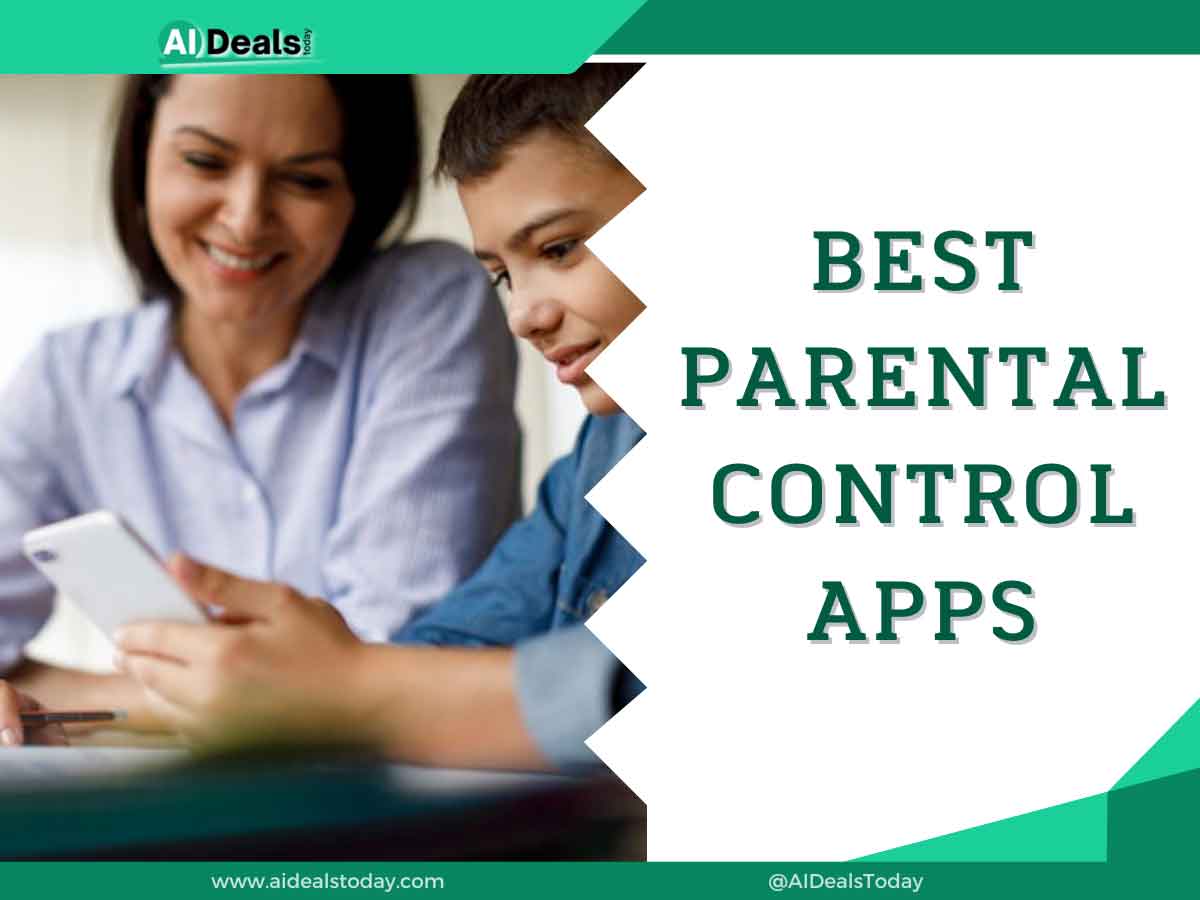
In today’s digital age, it’s more important than ever for parents to keep a watchful eye on their children’s online activities. Best Parental Control Apps act as a crucial safety net, providing tools to manage screen time, filter content, track location, and even monitor social media interactions.
These apps offer parents peace of mind and empower them to guide their children towards a healthy and responsible digital experience.
What Are Parental Control Apps?
Parental control apps are software tools that give parents the ability to manage and monitor their children’s activity on digital devices like smartphones, tablets, and computers. Think of them as a digital guardian angel for your kids!
How We Chose The Best Parental Control Apps?
Choosing the best parental control apps is a big decision for parents. Here’s how we approached it:
1. Core Features
We started by looking at the essential features every good parental control app should have:
- Effective Content Filtering: How well does it block inappropriate websites and apps? Does it categorize content effectively? Can it filter search results?
- Flexible Screen Time Controls: Can you set daily or weekly limits? Does it allow for customized schedules? Can you control specific apps?
- Reliable Location Tracking: Is the location tracking accurate and up-to-date? Does it offer geofencing features (alerts when a child enters or leaves a specific area)?
- Ease of Use: Is the app intuitive for both parents and children? Is it easy to set up and manage?
2. Advanced Features
We then considered valuable extras
- Social Media Monitoring: Does it cover popular platforms like Facebook, Instagram, and TikTok? Can it detect cyberbullying or predatory behavior?
- App Management: Can you block app downloads? Can you monitor app usage?
- Communication Monitoring: Can you track calls and texts? Can you block certain contacts?
- Reporting and Alerts: How detailed are the activity reports? Are the alerts timely and informative?
3. Platform Compatibility
We looked at apps that work across different operating systems (iOS, Android) and devices (smartphones, tablets, computers).
4. Pricing and Value
We considered the overall cost, including any subscription fees, and assessed whether the features justified the price.
5. User Reviews and Expert Opinions
We analyzed user reviews and consulted expert opinions to understand real-world experiences and identify any potential drawbacks.
By carefully evaluating these factors, we aim to provide you with a selection of the best parental control apps that cater to different needs and priorities.
Best Parental Control Apps
| Name | Features | Price |
| mSpy | Track GPS location in real-timeView call logs and contact informationKeylogger for monitoring keystrokes | $48.99/Mo |
| Family1 | Real-time GPS location trackingApp and website blockingScreen time limits and schedules | |
| FlexiSpy | Live call interception and recordingSMS, email, and chat monitoringAccess to camera and microphone | $49.95/Mo |
| Scannero | Phone number-based location trackingReal-time GPS updates | $49.99/Mo |
| EyeZy | SMS and instant message trackingGPS and geofencingKeylogger for recording keystrokes | $47.99/Mo |
| Moniterro | Real-time SMS trackingGPS location trackingCall monitoring and recording | $46.62/Mo |
| Spy Era | SMS, call, and social media trackingLive call recordingGPS tracking and geofencing | $89/Mo |
| iMyfone | SMS and social media message trackingGPS and location historyCall logs and media access | $39.99/Mo |
1. mSpy
A comprehensive parental control app known for its powerful monitoring features and stealth mode operation. Popular with parents who want detailed insights into their child’s online activity.
Key Features
- GPS Tracking: Real-time location tracking with geofencing capabilities.
- Call and Text Monitoring: View call logs, read text messages, and see contact lists.
- Social Media Monitoring: Track activity on popular platforms like WhatsApp, Facebook, Snapchat, and Instagram.
- Website and App Blocking: Restrict access to specific websites and apps.
- Keylogger: Capture keystrokes to see what your child is typing in apps and browsers.
mSpy Price
- 1 Month Plan $48.99/Mo
- 3 Month Plan $28.00/Mo
- 12 Month Plan $11.67/Mo
2. Family1
Focuses on promoting healthy digital habits and family communication. Offers a range of features to manage screen time, filter content, and encourage online safety.
Key Features
- Internet Filtering: Block websites by category (e.g., pornography, gambling, violence).
- Screen Time Limits: Set daily limits for device usage and individual apps.
- App Blocking: Prevent access to specific apps.
- Location Tracking: Monitor your child’s location and set safe zones.
- Family Pause: Instantly pause internet access on all connected devices.
Price
- Monthly Plan $21.95/Mo
- Yearly Plan $15.95/Mo
3. FlexiSPY
One of the most advanced monitoring apps available, offering a wide range of features that go beyond basic parental controls. Often used by employers but also suitable for parents who need extensive monitoring capabilities.
Key Features
- Call Interception: Listen in on live phone calls.
- Ambient Recording: Record surroundings using the device’s microphone.
- RemCam: Remotely activate the device’s camera to take pictures.
- Extensive App Monitoring: Capture data from a wide range of apps, including social media, messaging, and email.
- Advanced Location Tracking: Track location history and set geofences.
FlexiSpy Price
- Android Lite Plan $49.95/Mo
- iPhone Lite Plan $49.95/Mo
- iPad Plan $79/Mo
- Computer Plan $79/Mo
4. Scannero
A parental control solution that focuses on social media monitoring. It helps parents identify potential online risks and protect their children from cyberbullying, online predators, and inappropriate content.
Key Features
- Social Media Monitoring: Analyzes posts, comments, and messages on platforms like Instagram, TikTok, and Facebook for signs of danger.
- Sentiment Analysis: Detects emotions expressed in your child’s online interactions.
- Risk Assessment: Provides an overall risk score based on the analysis of your child’s social media activity.
- Alert System: Notifies parents of potential threats and concerning online behavior.
5. EyeZy
A comprehensive parental control app that combines monitoring features with online safety tools. Offers a user-friendly interface and robust functionality.
Key Features
- Social Spotlight: Monitor social media chats and private conversations on various platforms.
- Pinpoint: Accurate and real-time location tracking with location history.
- Magic Alerts: Set keyword alerts to be notified when specific words or phrases are used in your child’s online communications.
- Plans Breaker: View calendar events and to-do lists.
- Invisible Shield: Operates in hidden mode on the child’s device.
EyeZy Price
- 1 Month $38.39/Mo
- 3 Months $22.39/Mo
- 12 Months Plan $7.99/Mo
6. Moniterro
A cloud-based monitoring solution that allows parents to track their child’s activity on multiple devices from a single dashboard. Offers a good balance of features and affordability.
Key Features
- Website Monitoring: Track browsing history and block access to inappropriate sites.
- Application Monitoring: Monitor app usage and block specific apps.
- Social Media Monitoring: Track activity on popular social media platforms.
- Keylogger: Capture keystrokes to monitor online conversations and searches.
- Remote Control: Take screenshots, lock the device, or wipe data remotely.
Moniterro Price
- 1 Month $46.62/Mo
- 3 Months $27.19/Mo
- 12 Months Plan $9.71/Mo
7. SpyEra
A powerful monitoring app with advanced features often used for employee monitoring but also suitable for parental control. Offers a wide range of surveillance capabilities.
Key Features
- Call Recording: Record phone calls and listen to them later.
- Ambient Listening: Listen to the surroundings of the device.
- Spy on Camera: Take pictures remotely using the device’s camera.
- GPS Tracking: Track location in real-time and view location history.
- Data Access: Access photos, videos, contacts, and other data stored on the device.
Spy Era Price
- Smart Phone Plan $89/Mo
- Tablet Plan $69/Mo
- Computer Plan $49/Mo
- All In One Plan $479/Year
8. iMyFone Family Locator
Focuses primarily on location tracking and family safety. Provides real-time location sharing and communication features for families.
Key Features
- Real-Time Location Tracking: See the location of family members on a map.
- Location History: View past locations and routes taken.
- Geofencing: Create safe zones and receive alerts when family members enter or leave those areas.
- Family Chat: Communicate with family members within the app.
- SOS Alerts: Send emergency alerts to family members with location information.
Remember that the best parental control app for you will depend on your specific needs and priorities. Consider the age of your child, the level of monitoring you require, and your budget when making your choice.
Tips for Using Parental Control Apps Effectively
Parental control apps are powerful tools, but using them effectively requires more than just installation. Here are some tips to maximize their benefits:
1. Open Communication is Key
- Talk to Your Children: Explain why you’re using a parental control app. Emphasize that it’s about safety and guidance, not spying or distrust.
- Involve Them in the Process: Discuss the rules and restrictions together. This can foster a sense of responsibility and understanding.
- Be Open to Feedback: Listen to their concerns and be willing to adjust the settings as they mature.
2. Start with Trust, Not Restrictions
- Begin with Minimal Restrictions: Focus on blocking obviously harmful content and setting reasonable screen time limits.
- Gradually Adjust as Needed: Increase restrictions only if necessary, based on observed behavior and your child’s maturity level.
- Avoid Overly Harsh Restrictions: This can lead to resentment and encourage children to find ways to circumvent the controls.
3. Use a Combination of Tools and Techniques
- Combine with Active Parenting: Parental control apps are just one part of the equation. Engage in conversations about online safety, responsible digital citizenship, and critical thinking.
- Explore Device Built-in Controls: Utilize the parental control features available on your child’s devices (iOS Screen Time, Google Family Link) in conjunction with the app.
- Teach Online Safety Practices: Educate your children about online risks, such as cyberbullying, online predators, and sharing personal information.
4. Regularly Review and Adjust Settings
- Monitor App Usage Reports: Pay attention to the insights provided by the app to understand your child’s online activity.
- Adjust Settings as They Grow: As your child matures, their needs and online behavior will change. Adapt the restrictions and controls accordingly.
- Stay Updated: Keep the app and your child’s devices updated with the latest software to ensure optimal performance and security.
5. Prioritize Your Child’s Well-being
- Focus on Balance: Encourage healthy habits by promoting offline activities, hobbies, and social interaction.
- Be Mindful of Privacy: Respect your child’s privacy and avoid excessive monitoring that could damage trust.
- Seek Support if Needed: If you’re concerned about your child’s online behavior or mental health, don’t hesitate to seek professional help.
By following these tips, you can use parental control apps effectively to create a safer and more positive online experience for your children while fostering open communication and trust.
What To Look For In The Best Parental Control Apps?
Finding the best parental control app for your family is crucial in today’s digital world. Here’s a breakdown of essential features to consider:
1. Content Filtering
- Website Blocking: Effectively blocks access to inappropriate websites (pornography, gambling, violence) with customizable filtering options.
- App Blocking: Allows you to prevent access to specific apps or app categories.
- Search Result Filtering: Filters search engine results to prevent exposure to harmful content.
- YouTube Monitoring: Specifically monitors or restricts YouTube usage, including search history and video access.
2. Screen Time Management
- Daily/Weekly Limits: Set time limits for overall device usage or individual apps.
- Scheduling: Create schedules to allow device usage only during specific times (e.g., after homework, before bedtime).
- App Time Limits: Set individual time limits for specific apps.
- Downtime: Schedule device-free time for activities like family meals or bedtime.
3. Location Tracking
- Real-Time Location: Provides accurate and up-to-date location information.
- Location History: Tracks your child’s location history to see where they’ve been.
- Geofencing: Set virtual boundaries (geofences) and receive alerts when your child enters or leaves designated areas.
4. Communication Monitoring
- Call and Text Monitoring: View call logs, read text messages, and see contact lists.
- Social Media Monitoring: Track activity on popular social media platforms (Facebook, Instagram, TikTok).
- Alert System: Receive notifications about potentially harmful online interactions or concerning content.
5. Ease of Use
- User-Friendly Interface: Easy to navigate and understand for both parents and children.
- Simple Setup: Quick and straightforward installation and configuration process.
- Remote Management: Control and monitor settings remotely from your own device.
- Good Customer Support: Responsive and helpful customer support in case you need assistance.
6. Platform Compatibility
- Cross-Platform Support: Works seamlessly across different operating systems (iOS, Android) and devices (smartphones, tablets, computers).
7. Pricing and Value
- Transparent Pricing: Clear and upfront pricing structure with no hidden fees.
- Free Trial or Money-Back Guarantee: Allows you to test the app before committing to a subscription.
- Value for Money: Offers a comprehensive set of features that justify the cost.
8. Additional Considerations
- Age-Appropriateness: Choose an app with features suitable for your child’s age and maturity level.
- Privacy: Ensure the app respects your child’s privacy and data security.
- User Reviews and Expert Opinions: Read reviews from other parents and consider expert recommendations.
By carefully evaluating these factors, you can choose the best parental control app that meets your family’s unique needs and helps you create a safer online environment for your children.
Conclusion
In conclusion, the digital world presents incredible opportunities for children, but it also comes with potential risks. Best Parental Control Apps act as a vital tool for parents, providing a safety net and guidance as children navigate the online world.
By using these apps thoughtfully and combining them with open communication and education, parents can empower their children to develop healthy digital habits, explore the online world safely, and make the most of the opportunities it offers.