
Top AI Art Generator for Unique Creations
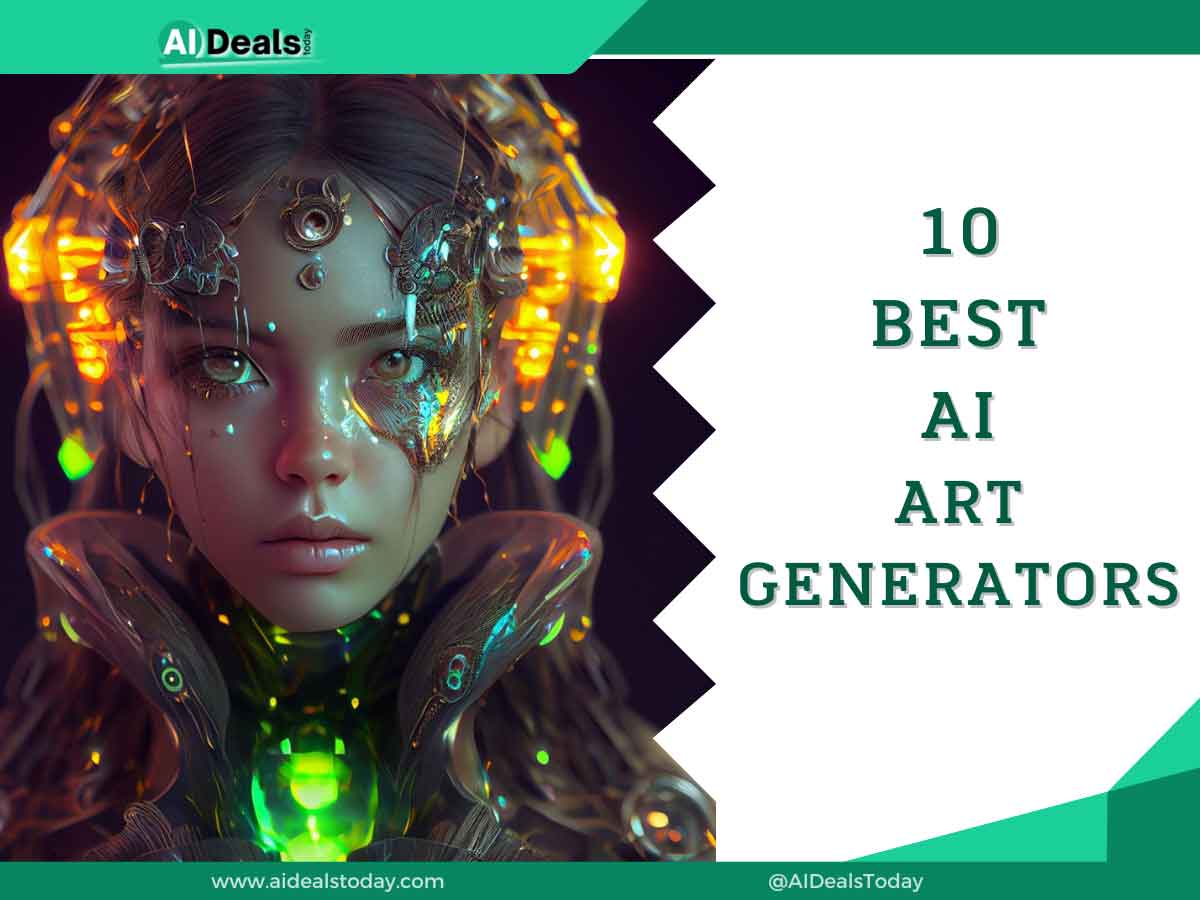
In just a little over a year, AI art generators that turn text into images have gone from being small experiments to being everywhere you look. It all started with DALL•E 2, and now it’s become a big deal in culture. Even the older AI art generators that have been around for a while are suddenly super popular, and there are new apps popping up all the time with cool ideas. It seems like almost everyone is making cool, funny, or just plain weird pictures just by typing in a few words.
If you’re curious about trying out these text-to-image tools but don’t know where to begin, this list is here to help. It’s a bigger list than just the best ones because it covers all the different ways people are using AI for art.
Now, this list doesn’t include every single app out there that can make AI art. Instead, it’s a collection of ones that I’ve personally tried, that you can use right in your web browser, and that seem legit.
The world of AI art is changing so quickly that by the time you finish reading this, there might be even more cool apps out there. But for now, this should give you a good idea of the most popular ones available.
How does AI art work?
The first time you type a prompt into an AI art generator and it spits out exactly what you had in mind, it feels like magic. But actually, there’s no wizardry involved. These generators rely on computers, fancy graphics cards, and loads of data to work their wonders.
Here’s how it goes down:
AI art generators start by taking your text and trying their best to turn it into a picture that matches. Sounds simple, right? Well, it’s not. They have to first figure out what you’re asking for. To do this, they’ve been trained on tons of image-text pairs—like, hundreds of thousands or even billions.
This training helps them tell the difference between, say, a dog and a cat or a Vermeer painting and a Picasso. Some models are better at understanding complex text than others, depending on how much training they’ve had and what kind of stuff they were trained on.
Once they’ve got the gist of your prompt, the AI gets to work on making the image. There are two main types of models that do this:
1. Diffusion Models: These include Stable Diffusion, DALL•E 2, Midjourney, and CLIP-Guided Diffusion. They start with a bunch of random noise and then tweak it step by step to match what the prompt describes. They’re good at making funky or surreal images.
2. Generative Adversarial Networks (GANs): These are older and include models like VQGAN-CLIP, BigGAN, and StyleGAN. They’re also great at making realistic images.
Both types can churn out awesome stuff, but diffusion models are usually better at making the weird stuff.
Some apps are upfront about which models they use, while others keep it a mystery. Some, like VQGAN-CLIP and Stable Diffusion, are open source, so lots of apps use them. But some apps keep their model a secret sauce. There are also apps that train their own models using open source stuff to get even better results.
So basically, a lot of these AI art generators are just different flavors of the same algorithms. It can be frustrating when you’re trying to pick one to use or write about. I’ve tried to include info on which models each app uses, but sometimes it’s a guessing game based on what I know about these AI thingamajigs
10 Best Ai Art Generators You Can Use Right Now
1. Midjourney
Midjourney is a super cool AI that turns text into art, and it’s been making waves since its beta days. Originally only on Discord, now it has its own website too. Getting started is a breeze: just join the Discord server or hop onto the website, and feed it your text with a simple command.
Your request goes into a queue, and the AI starts working in just seconds. The final artwork takes a bit of time, but it’s worth the wait. You can literally watch the image improve right before your eyes. And let me tell you, Midjourney is top-notch in the text-to-image game.
The images it churns out are incredibly accurate and seriously stunning. While you don’t get to pick an art style, the results are beautiful regardless. Plus, you can choose different variations, upscale the image, or even ask the bot to redraw it with a new text prompt.
Midjourney handles complex requests like a champ, so feel free to get creative with your prompts. Now, here’s the catch: it’s not free anymore. There used to be a trial period, but due to high demand, that’s gone now. You’ll have to fork out at least $8 a month to use it.
But trust me, after trying it out, I’d say it’s worth every penny. So if you’re looking to add some cool art to your projects or blog, give Midjourney a shot. You won’t be disappointed.
Pros
- Beautiful and accurate outputs
- Understands complicated prompts
- Upscaling and alternate output options
Cons
- Free image limit quickly runs out
- Only available on Discord
Platforms: Discord, Web
Cost: Starts at $8/month billed annually
2. Creative Fabrica
Creative Fabrica is a digital platform offering a diverse range of high-quality creative assets like fonts, graphics, and illustrations for designers and crafters. It operates on a subscription model with unlimited downloads, catering to both personal and commercial use with clear licensing terms. The user-friendly interface, vibrant community, and customer support make it a go-to resource for creatives worldwide.
Pros
- Wide Range of Products
- Quality
- Affordable Pricing
- Regular Updates
- Commercial Use License
- User-Friendly Interface
Cons
- Subscription Model
- Limited Free Resources
- Dependency on Internet Connection
- Overwhelming Selection
- Lack of Customization
Platform: WEB
Pricing: $9/month for faster generating and private downloads
3. Getty Images
Like Shutterstock, Getty Images has developed an AI art generator. Generative AI by Getty Images is trained on Getty’s collection of stock images. This makes it good for generating weirdly specific stock photos, but not as competent or creative at other things.
Best of all, though, Getty claims that its model is free from intellectual property issues, so you’re indemnified against any legal claims resulting from using the images you make with its tool. If your company has a legal department, it might be that AI art generator you need.
Pros
- Vast Collection
- Professional Quality
- Rights Managed and Royalty-Free Licensing
- Global Reach
- Advanced Search and Filtering
- Editorial Content
Cons
- Cost
- Complex Licensing
- Competition
- Limited Free Content
- Stringent Content Review
Platform: Web
Pricing: $125
4. Getimg
GetImg.ai is an online platform that provides AI-powered image generation services. It utilizes advanced machine learning algorithms to generate high-quality, realistic images based on user input or preferences.
GetImg.ai offers various features and tools for image customization, allowing users to create custom images for their projects quickly and efficiently. Whether you need images for websites, social media, presentations, or other purposes, GetImg.ai can help streamline the image creation process with its AI technology.
Pros
- Beautiful and accurate outputs
- Understands complicated prompts
- Upscaling and alternate output options
Cons
- Free image limit quickly runs out
- Only available on Discord
Platform: Web
Pricing: Free for 100 images per month; from $12/month for the Basic plan, with 3,000 images/month and the ability to train your own models
5. Leap AI
Leap AI is a technology company specializing in AI solutions for businesses. They develop advanced software and tools powered by machine learning and data analytics to optimize operations, improve decision-making, and drive innovation.
Their offerings include AI-driven data analytics platforms and custom solutions tailored to specific business needs, prioritizing usability and accessibility. Leap AI empowers businesses to harness the power of artificial intelligence for improved efficiency and growth.
Pros
- Advanced technology
- Automation
- Scalability
- Improved decision making
- Competitive advantage
Cons
- Cost
- Complexity
- Dependence on data
- Ethical concerns
- Technical issues
Platform: Web
Pricing: Free for 100 images and 1 model; then from $9/month for 250 images and 1 model
6. NightCafe
NightCafe is another neat AI tool for turning text into art, and it’s pretty user-friendly. It has its own twist though, offering lots of ways to customize your output.
You’re not just stuck with one style or algorithm here. NightCafe lets you choose the art style and even the algorithm the AI uses, giving you more control over your creation. So if you have a preference for Clip Guided Diffusion over Stable, you’re covered.
Now, here’s the deal: NightCafe isn’t free. You start with five free credits, which equals five images. If you create an account and log in, you’ll get three more credits. But after that, you’ll need to subscribe to get more, starting at around $0.053 per credit. It’s not unlimited, but you can find a plan that works for your budget.
The images you get from NightCafe are pretty decent—lifelike and vivid. They even claim that using Clip Guided Diffusion makes the images follow the laws of physics, grounding them in reality. But don’t worry, the AI can still whip up some out-of-this-world stuff if you want.
While NightCafe does well with all kinds of images, sometimes the quality can be a bit iffy. But fear not! You can improve them by upscaling or giving the AI more prompts. It might take a bit longer to create compared to Stable Diffusion, but it’s nothing too crazy.
Overall, NightCafe is a solid AI art generator, except for the credit limit.
Pros
- Can choose an AI algorithm
- A plethora of art styles to choose from
- Can upscale images (paid)
Cons
- Small credit limit
Platforms: Web
Cost: Free 5 Credits/day; 100 Credits for $4.79/month billed every three months
7. Fotor
Fotor is another fantastic AI art generator that works right from your web browser, and it’s lightning-fast. While it used to be totally free, now you’ll need to subscribe to one of their premium plans to use it.
Here’s the scoop: With the Fotor Pro plan, you get 100 credits per month, while the Fotor Pro+ Plus plan gives you 300 credits.
Like other generators, Fotor needs clear instructions from you. But here’s where it stands out: it can generate images not just from text, but from images you provide too. Plus, it keeps a gallery of all your creations. And let me tell you, the images it spits out are top-notch, needing little to no touch-up.
If you’re particular about sizes, Fotor lets you choose from different aspect ratios to suit your needs. And if you’re feeling fancy, you can play around with styles, lighting, and more to customize your output. Of course, if you just want a basic image, you can skip all that.
What’s cool is that you can generate up to 6 images at once, though it defaults to 2. And with the recent launch of Fotor M2, their advanced AIGC model, you can expect even better accuracy. All in all, Fotor is definitely one of the top premium AI art generators out there.
Pros
- Outputs images extremely quickly
- Beautiful and realistic image generation
- No image prompt limit
Cons
- Not free to use
Platforms: Web
Cost: Plans start at $2.66/month billed annually
8. Photo Sonic
PhotoSonic may not be as well-known as some other AI text-to-image generators, but it’s definitely worth checking out. It operates on a credit model and is available through its website, making the whole process hassle-free.
One of the standout features of PhotoSonic is its ability to handle complex, detailed prompts. You can throw pretty much anything at it, and it’ll do its best to turn your text into art. It runs on stable diffusion and can produce up to 5 images at once.
While there aren’t predefined design templates, you have the flexibility to mix and match styles by adding specific keywords to refine your artwork. Plus, you can use the “Enhance Prompt” feature to let the AI create a more detailed prompt based on your input. Another handy feature is the option to choose the output size, whether it’s square, horizontal, or vertical, catering to your specific needs.
Unlike some other generators, PhotoSonic doesn’t use a credits system. Instead, it deducts from your WriteSonic account based on word count. With a free account, you get 10,000 words per month, and each image generation consumes 400 words. So, you can generate up to 25 images for free. But with premium plans, you get unlimited words, which means unlimited art creations!
Pros
- Recognizes nuances in text prompts
- Quick image generation
- Free version to make use of
Cons
- Expensive premium plans
Platforms: Web
Cost: Free; Premium plans start from $16/month
9. Imagine art
Let’s talk about Imagine Art AI, a versatile tool available across various platforms, including a dedicated Windows app. One of its standout features is its simple interface, making AI art generation a breeze. Plus, it’s lightning-fast, churning out artworks in mere seconds.
But here’s where it gets interesting: Imagine Art AI offers a range of customization options. You can pick the model, style, and aspect ratio for your text-to-image creation. And if you want even more control, there’s an Advanced Settings panel where you can add a negative prompt, telling the AI what you don’t want in your image.
Now, let’s talk results. The AI generates impressively accurate and detailed images, sticking closely to your prompt without adding any unnecessary elements. However, if you’re using the free version, be prepared to sit through plenty of ads. It can be a bit annoying, but considering the quality of the output, it’s definitely worth it.
Pros
- Free to use on all platforms
- Very fast
- Accurate output
Cons
- Can produce distorted results at times
Platforms: Web, Windows, Android, iOS
Cost: Free; Premium Tier starts at $7/week
10. Japser Art
Jasper doesn’t just excel in writing—it also boasts a pretty impressive AI art generator as part of its suite of services. This tool is hosted online on the Jasper website, but you’ll need to purchase a seat to access it.
The art generator offers two main methods of creating: Free Form and pre-built templates. With Free Form, you start from scratch, providing a prompt for the AI to work from. The more detailed your prompt, the better the output. But here’s where it gets interesting: Jasper lets you fine-tune your creation by choosing moods, mediums, styles, keywords, and even language.
Once you’re set, just hit “Create artwork,” and Jasper gets to work. And props to it for being speedy—it churns out images in under a minute, which is pretty impressive.
I put it through its paces with various prompts and styles, and I have to say, Jasper’s art is pretty darn amazing. The AI understands the prompts well and delivers images based on them. Plus, you get high-definition variations that you can download straight away, similar to Midjourney.
Jasper offers a variety of styles, so you can mix and match to get the perfect image. Or if you’re feeling lazy, you can choose one of the template options and let Jasper do the heavy lifting for you.
Now, here’s the catch: Jasper Art isn’t free. You’ll need to fork out $20 for a seat, but the good news is, once you’ve got it, you can generate unlimited images. But if you’re not quite ready to commit, you can snag a 7-day free trial with 200 images to test the service out. Definitely worth giving it a shot!
Pros
- Excellent AI art generation
- Provides fine-tuning options
- Quick image output
- Unlimited image generation
Cons
- No mobile apps available
Platforms: Web
Cost: 200 free images in the 7-day free trial | Starts at $39/month billed annually
Outline
In conclusion, the realm of AI art generation is brimming with innovation and creativity, thanks to a diverse array of AI art generators available today. Each tool offers its unique set of features, from customizable prompts to advanced style options, catering to a wide range of artistic preferences and needs.
While some platforms like Midjourney and NightCafe excel in providing intuitive interfaces and quick outputs, others like PhotoSonic and Imagine Art AI prioritize customization and flexibility. Meanwhile, options such as Fotor and Jasper offer comprehensive packages with various templates and styles to explore.
Ultimately, the “best” AI art generator depends on individual preferences and requirements. Whether you prioritize speed, customization, or a balance of both, there’s undoubtedly a tool out there to suit your artistic endeavors. As technology continues to evolve, we can expect even more exciting developments in the world of AI-generated art, pushing the boundaries of creativity and expression.