Sudowrite Review: Turbocharge Your Writing with AI Assistance
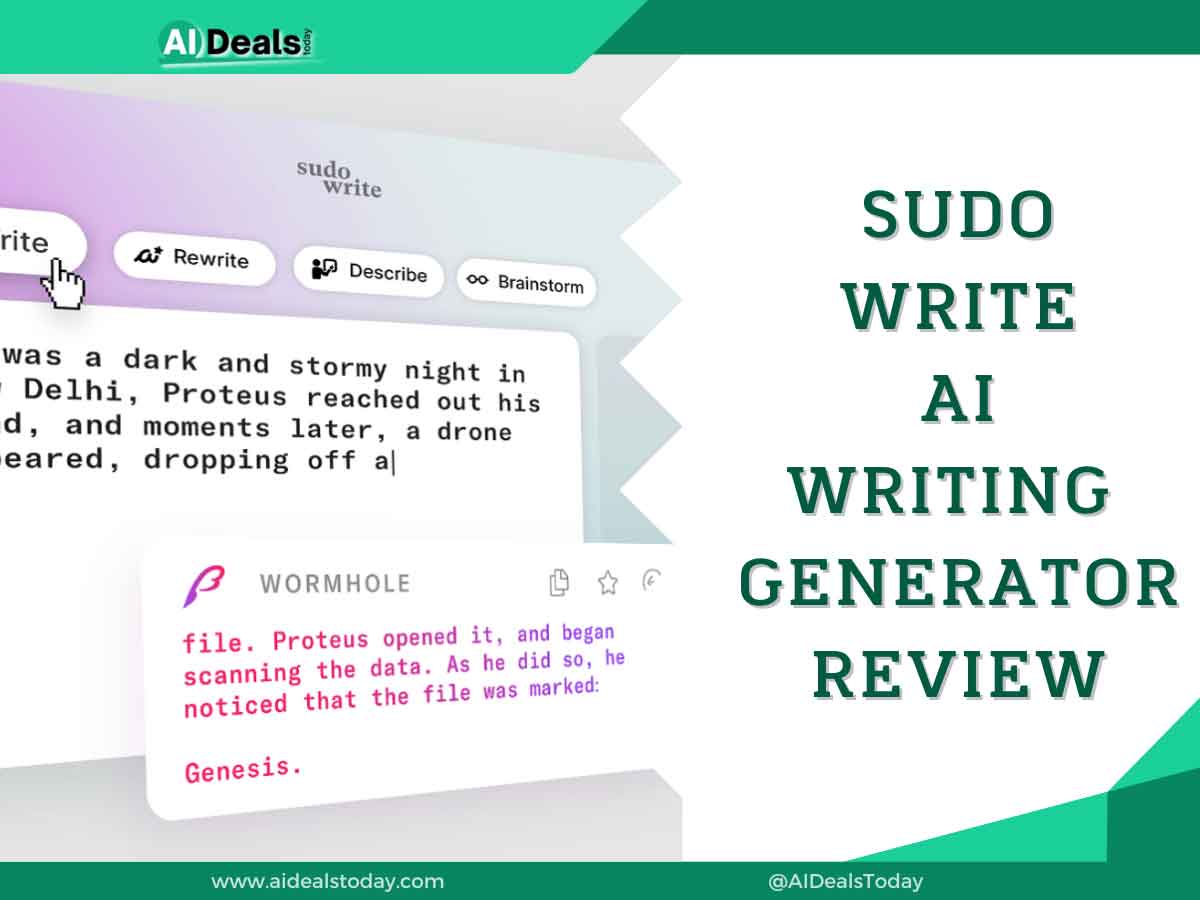
Welcome to the future of storytelling! In this review, we’ll introduce you to Sudowrite, a groundbreaking AI writing tool changing the way stories are crafted. Whether you’re new to writing or a seasoned pro, Sudowrite can boost your skills. Imagine having an AI assistant to refine your grammar, simplify your creative process, and elevate your storytelling. That’s what Sudowrite does. Keep reading to discover its features, uses, and pros and cons to see if it’s the right tool for you.
What is Sudowrite?
Sudowrite is an AI writing assistant designed to help writers perfect their storytelling and speed up their creative process. It’s more than just a tool for fixing grammar and spelling. Sudowrite suggests ways to enhance your writing style, introduces new characters, and makes your stories more engaging. Think of it as having an expert writer by your side, ready to help you find the right words, rephrase sentences, and even create unexpected plot twists.
Using advanced deep learning techniques, Sudowrite generates realistic and context-appropriate text. Built on powerful GPT-3 and GPT-4 models with over 175 billion parameters, it learns from vast amounts of data to predict what should come next in your text, one word at a time. Sudowrite isn’t meant to write your stories for you but to help you improve and speed up your writing process. It’s a fantastic tool for authors, creatives, and novelists.
First Impressions: User Interface and Experience
Sudowrite’s user interface is simple and easy to use. The main dashboard has three sections: Projects, Canvas, and Settings.
In the Projects section, you can see all your current projects. To start a new one, just click the “New Project” button. Once created, you can access any project by clicking its name.
The Canvas section is where the real magic happens. This AI-powered workspace helps you explore plot points, character arcs, and themes. You can generate alternate plot points, character secrets, and plot twists. It’s also a great place to gather all your inspiration and references, find the perfect name for a character, a magical item, or even a title.
In the Settings section, you can customize your Sudowrite experience. Here, you can update your account settings, billing information, and subscription plan.
Key Features of Sudowrite
Sudowrite is a cutting-edge writing tool packed with features to elevate your writing. It offers intelligent suggestions, grammar checks, and context-aware sentence completions. These tools help you write faster, improve your writing quality, and make the creative process smoother.
1. Brainstorm
Sudowrite’s Brainstorm feature is a powerful tool to help writers overcome writer’s block and generate new story ideas. It offers various options to inspire characters, settings, plots, and more. Here’s how you can use it:
- Characters: Generate detailed descriptions, including name, age, appearance, personality, backstory, and goals.
- Plot Points: Create ideas for the main conflict, rising action, climax, falling action, and resolution.
- World Building: Develop ideas about the society, culture, and history of your story’s world.
- Places: Describe settings, buildings, and landscapes.
- Objects: Generate ideas for magical items, props, and significant objects.
For example, I used the Brainstorm feature to generate article ideas for a newsletter about helping writers market their work, specifically related to TikTok. After filling in the respective fields and giving examples, Sudowrite provided many article ideas. I chose two of these ideas to build a clear plan for my article.
2. Canvas: Your Storyboard
Sudowrite’s Canvas is a valuable tool for organizing thoughts, characters, and story points. It’s perfect for brainstorming, planning your story, and tracking your progress. The Canvas can generate alternate plot points, character secrets, and plot twists. You can gather all your inspiration and references in one place and find the perfect names, magical items, or titles.
The Canvas offers three options: Card, Label, and Outline.
- Cards: These are the building blocks of the Canvas and can contain text, images, or links. Cards can be connected to show relationships between different story elements. For example, I added a card describing a player kicking a football.
- Labels: These help organize and categorize cards. You can apply them to individual cards or groups. I labeled my card with “Sports.”
- Outlines: These help arrange cards in a linear order, useful for creating a high-level story overview or developing a detailed outline for a scene or chapter.
For each card, you have two options: “Generate more like this” and “Visualize.”
- Visualize: This option generates an image based on the card’s prompt. For my card about a player kicking a football, Sudowrite created an image of the scene.
- Generate more like this: This option creates multiple scenarios similar to the one described in the card. For my football card, it generated several similar scenes.
Using these features, you can effectively brainstorm, plan, and visualize your story, making the creative process more dynamic and engaging.
3. Story Engine
The Story Engine feature of Sudowrite helps writers create a detailed outline for their novels, covering characters, synopsis, and chapter beats. Powered by OpenAI’s GPT-3, it assists in generating text for the actual novel. This feature guides you step-by-step, from idea to outline to chapters, allowing you to complete your story in your own unique style and voice. It’s like having a co-author throughout your creative journey.
4. Write
Sudowrite’s Write feature is designed to help writers overcome writer’s block and generate new content. It analyzes your characters, tone, and plot arc to create 300 words in your unique voice. If you’re not satisfied with the generated text, it offers alternative options for you to choose from.
Additionally, the Generate First Draft feature allows writers to develop a detailed novel outline. This includes characters, a synopsis, and chapter beats. Utilizing OpenAI’s GPT-3, this feature helps generate the text for your novel, guiding you from initial idea to finished draft.
5. Describe
Sudowrite’s Describe feature functions like a thesaurus for sentences, aiding in creating vibrant imagery without slowing the pace of your story. By selecting a sentence in your text, you can prompt Sudowrite to offer alternative descriptions. Leveraging GPT-3 artificial intelligence, Sudowrite generates multiple options for you to select from, thereby revitalizing your content. This feature serves to prevent repetitive language and enhance the engagement of your writing.
- Sight
- Smell
- Taste
- Touch
- Sound
- Metaphorical
6. Expand
Sudowrite’s Expand feature is a handy tool for writers looking to enrich their scenes and paragraphs with additional details and depth. By providing a brief summary of what you envision for your next scene and selecting it, Sudowrite generates a fully fleshed-out scene that seamlessly fits into your story’s context. This feature enhances the pacing and flow of your writing while helping you overcome writer’s block and generate fresh content.
For example, I used the following content as input:
“The football world is set to come together to honor the legendary Sir Bobby Charlton, with the details of a memorial service now unveiled. The service, dedicated to celebrating the life of the England and Manchester United icon, will take place on the 13th of November at Manchester Cathedral.”
Sudowrite expanded upon this content significantly, providing additional details and depth to work with, thus enhancing the scene and offering more material for storytelling.
7. Rewrite
Sudowrite’s ‘Rewrite’ feature elevates your sentences, making your writing more captivating and polished. It generates multiple alternatives for a sentence or paragraph, allowing you to choose the most suitable one.
For instance, I utilized the following content for rephrasing:
The football world is set to come together to honor the legendary Sir Bobby Charlton, with the details of a memorial service now unveiled. The service, dedicated to celebrating the life of the England and Manchester United icon, will take place on the 13th of November at Manchester Cathedral.
The rephrased version is presented with new words highlighted, making it easy to review the changes. Then, you have the option to either insert it into the main timeline or copy it.
Although the rewriting options may not be as extensive as other paraphrasing tools, Sudowrite’s feature is remarkably convenient and adequate.
8. Shrink Ray
Shrink Ray condenses your document into four concise output types: logline, blurb, synopsis, and outline. The length of your original document determines the quantity of each output. This feature automatically saves the results, ensuring you don’t lose valuable condensed information.
For instance, I wrote a 568-word content about the Eiffel Tower. Shrink Ray condensed it into two loglines, one blurb, one synopsis, and one outline.
As demonstrated, with Shrink Ray, Sudowrite stands out as one of the top AI summarization tools for writing and learning.
9. Twist
Twist empowers writers to infuse their stories with captivating plot twists, adding intrigue and surprise. To utilize this feature, simply paste a summary of your story into the Sudowrite editor. The AI will then generate a list of potential plot twists, providing inspiration for your writing journey.
10. Characters
The ‘Characters’ feature aids writers in creating new characters and elements such as fictional holidays or names of magical potions. To effectively utilize this feature, start by entering the names and details of a few characters already in your story. It’s recommended to include at least three characters for optimal results.
Consistency is key to receiving cohesive and contextually relevant character suggestions. Maintain a pattern and order when describing characters. For example, if you start with a character’s physical appearance, followed by their inner conflict, and then their deepest wish, stick to this pattern for all characters.
Once you’ve inputted the information and maintained consistency, Sudowrite’s Characters feature will generate new character ideas that seamlessly complement your story. These suggestions are based on the details provided for the existing characters.
11. Poem
Sudowrite’s Poem Feature is a valuable tool for finding inspiration and exploring contemporary free verse poetry. With this feature, you can create poetry on any topic that resonates with you.
To begin, provide a topic that reflects your thoughts and emotions, serving as the foundation for your poem’s content. You can also include a title that captures the essence of your poem, setting the mood and providing context for readers. For instance, a title like “Nature’s Beauty” can evoke a specific atmosphere.
If you have particular lines in mind that you’d like to include, you can add them as a starting point for your poem. Sudowrite will then assist you in crafting the rest of the poem, bringing your vision to life.
12. History
Sudowrite’s History feature provides convenient options for managing changes made to your document. With just a single click, you can undo or redo any alterations using the buttons located on the left side of the editing toolbar. Moreover, you can access previous versions of your document and restore them if needed. The history feature is conveniently located on the right side of the editing toolbar, allowing for easy navigation and restoration of document versions.
Sudowrite Pricing and Plans Review
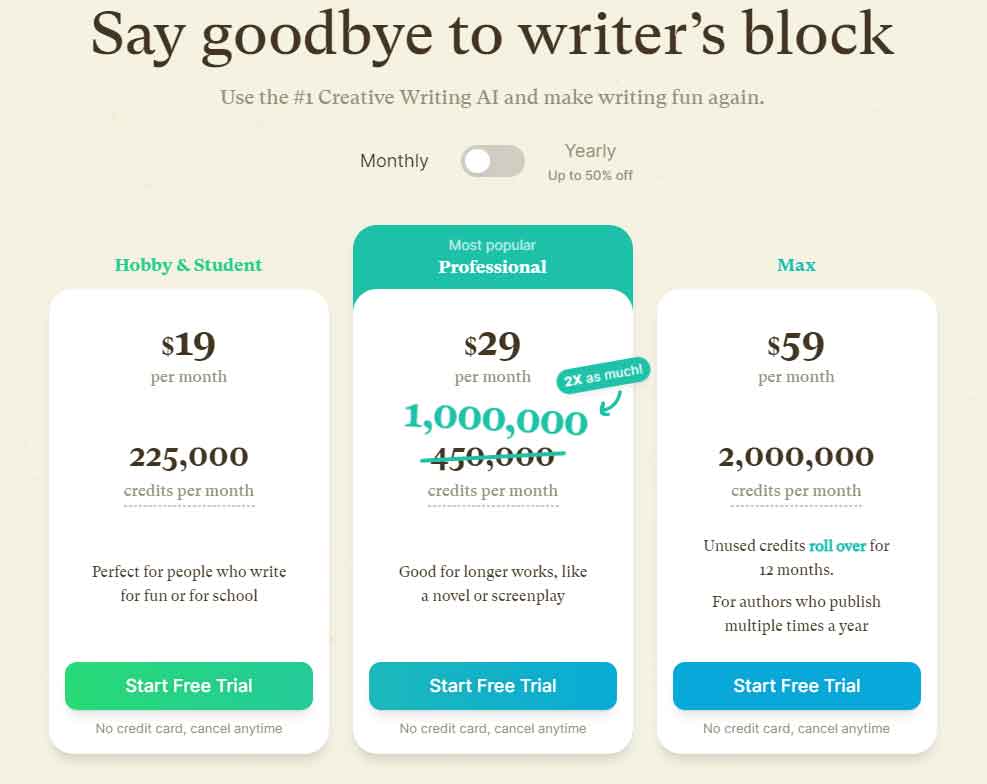
Sudowrite offers three pricing options tailored to different needs and budgets.
1. Hobby & Student Plan
Priced at $19 per month ($10 per month if billed annually), this plan allows for 30,000 AI words per month. It’s ideal for individuals working on short stories, blog posts, or essays.
2. Professional Plan
The most popular option, priced at $29 per month ($25 per month if billed annually), this plan provides 90,000 AI words per month. It’s suitable for longer projects such as novels or screenplays.
3. Max Plan
At $129 per month ($100 per month if billed annually), the Max plan offers 300,000 AI words monthly. It’s designed for users who want to deeply integrate AI into their writing process.
Pros and Cons of Sudowrite
Sudowrite, a powerful writing tool, has advantages and disadvantages for writers. In this discussion, we will delve into the various pros and cons of Sudowrite, providing a comprehensive overview of this writing assistant’s features and potential drawbacks.
Pros of Using Sudowrite
- Sudowrite enhances creativity for novelists and fiction writers.
- It generates high-volume original content at a rapid pace.
- Overcomes writer’s block with creative suggestions.
- Streamlines essay planning for better structure.
- Refines text by offering improved word choices and sentence structures.
Cons of Using Sudowrite
- Limited knowledge base compared to tools like ChatGPT.
- The learning curve involved mastering Sudowrite’s features and capabilities.
- It may rely on clichés and tropes due to its large training dataset.
Control can be challenging, with the risk of generating text that’s too long, short, or off-topic.
Alternatives of Sudowrite
Sudowrite provides beneficial AI-supported writing features, yet various alternatives in the market address diverse writing requirements. Whether seeking similar writing improvement tools or exploring alternative methods to enhance writing, this section will present some high-quality options.
1. Canva
Canva is a versatile graphic design platform enabling users to craft social media graphics, presentations, posters, documents, and various visual content. In contrast, Sudowrite primarily concentrates on text generation. Canva boasts multiple collaboration features, including team sharing and commenting, making it an ideal option for collaborative visual content creation among teams.
2. Jasper AI
Jasper AI is an AI-powered software designed to generate written content for diverse purposes, including blog posts, marketing copy, emails, and beyond. Leveraging natural language processing and artificial intelligence, it conducts research on topics, offers feedback, and optimizes content. Compared to Sudowrite, Jasper AI is often perceived as more accurate and efficient, producing text that is closer to human-like and less robotic. To explore further, you can read our review of Jasper AI.
3. Rytr
Rytr is an AI-powered writing assistant designed to swiftly produce high-quality content across various formats, including product descriptions, blog posts, social media content, emails, and fiction. In contrast, Sudowrite primarily focuses on fiction writing. While Rytr offers a broader range of content formats, Sudowrite provides collaboration features like team billing and project management, making it suitable for team-based content creation. These collaborative features are not available in Sudowrite. For further details, you can explore our Rytr AI review.
The Verdict: Is Sudowrite Worth It?
Sudowrite demonstrates how AI can enhance the creative process of storytelling in a world where creativity holds significance. By harnessing the power of artificial intelligence, Sudowrite aids both new and seasoned writers in crafting captivating stories that resonate with audiences. With its user-friendly interface and intelligent features, Sudowrite guides writers through the process of brainstorming ideas, developing compelling characters, and crafting engaging narratives. Whether you’re working on fiction, non-fiction, or any other genre, Sudowrite efficiently generates interesting and unique ideas suitable for all types of stories. It democratizes storytelling, making it accessible to anyone passionate about creating extraordinary worlds and telling captivating tales.
If you’re eager to explore further, check out our compilation of top AI writing tools. Aspiring writers shouldn’t miss our AI story generators, which can provide invaluable inspiration and assistance. Additionally, delve into a diverse range of the finest AI tools designed to enhance productivity across various domains.