Bit ai Review: Features, Tools, Pricing, and More
Bit.ai is a versatile document collaboration platform designed to streamline workspace organization and centralize collaboration efforts for individuals and teams alike. As digital content continues to proliferate, tools like Bit.ai are becoming indispensable for freelancers, businesses, nonprofits, and educators seeking efficient project management, engagement tracking, and seamless communication with both internal teams and external clients.
With its user-friendly interface and robust features, Bit.ai empowers users to create, share, and collaborate on documents effortlessly, fostering productivity and enhancing workflow efficiency in today’s dynamic work environment.
Pros and Cons
| Pros | Cons |
|---|---|
| Comprehensive document collaboration platform | Limited formatting options |
| Intuitive interface and design | No dedicated app |
| Free version available | Phone support not available to all users |
| Integrates with 100+ applications | No Free Trial for Pro or Business |
| Plenty of guides and support options |
What is Bit.ai?
Bit.ai is a web-based document collaboration platform designed to streamline the entire process of working on various projects, whether for business, academic, or personal purposes. From document creation to management and sharing, Bit.ai provides a comprehensive solution that helps individual users create a centralized and organized workspace while facilitating effective communication and collaboration among teams.
With its user-friendly interface and customizable features, Bit.ai empowers users of all backgrounds and industries to create and edit digital documents with ease. By offering real-time collaboration capabilities, centralized task management, content organization, and engagement tracking, Bit.ai gives users greater control over their workspace and enhances their ability to collaborate seamlessly.
How Does Bit.ai Work?
Bit.ai offers a user-friendly experience, with many finding the software intuitive and easy to navigate. While there are no dedicated desktop or mobile applications, the web-based platform is fully responsive, ensuring accessibility from any device.
To get started, users simply need to create an account and establish a unique custom subdomain, which serves as the login screen and is included in shareable links. The setup process typically takes only a few minutes, involving entering general information, confirming email, and configuring the domain.
Once set up, users can begin adding team members, creating documents, and building workspaces. While the free plan is available indefinitely, users have the option to upgrade to a paid plan at any time.
Bit.ai Main Features
Bit.ai boasts several standout features that make it a powerful document collaboration platform:
1. Integrations
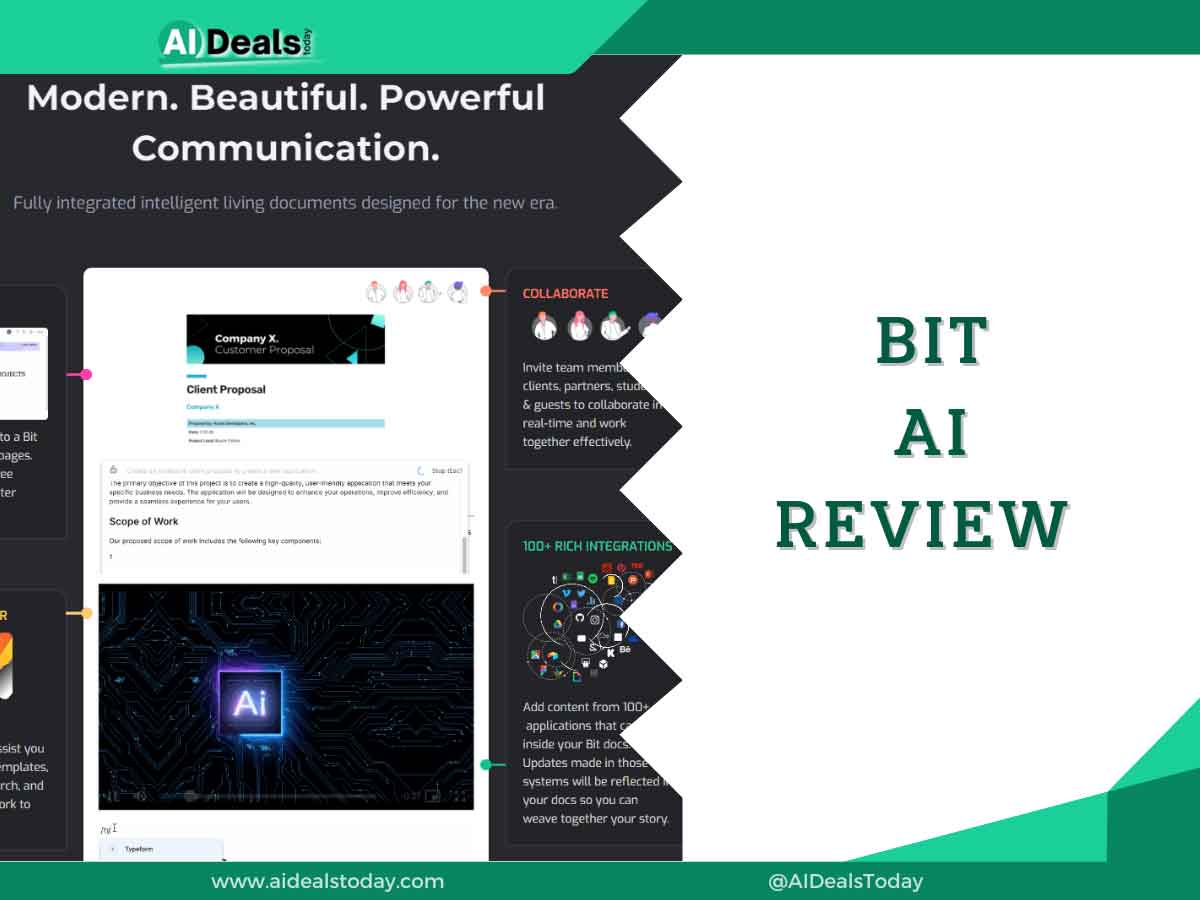
With over 100 integrations available, Bit.ai enhances documents with rich media content and facilitates seamless communication. These integrations help consolidate various tools and resources into a single platform, making workspace management more efficient.
2. Collaboration Tools
Bit.ai excels as a collaboration tool, allowing users to create multiple workspaces tailored to individuals, departments, teams, or clients. Customizable workflows enable easy movement of tasks across teams, while permission management ensures data security. The platform also offers insight into workspace activities, such as member additions, document creations, and file deletions.
3. Content Management
Managing digital content is simplified with workspace divisions and content libraries in Bit.ai. Assets are stored within workspaces for easy access by team members. The platform’s search functionality extends to content within documents, further enhancing content management capabilities.
4. Document Sharing
Bit.ai enables real-time document sharing, ensuring that all changes are updated instantly. Documents can also be embedded on websites or blogs and updated dynamically. Users can receive feedback, track activity, and set document expiration dates for added security and control.
5. Customizable Branding
Bit.ai offers both simplicity and customization in document formatting. Users can easily insert their organization’s logo or name into documents, enhancing brand visibility and professionalism.
6. Security
Security is a top priority for Bit.ai, with TLS and AES 256 encryption ensuring the protection of user content. The platform also offers document development options and quality assurance processes to meet rigorous security standards, providing users with peace of mind regarding data safety.
Users can also protect their documents by setting up a password before they share files.
| Reasons to Use Bit.ai | |
|---|---|
| Easy Content Management | Import and export files, track analytics, and keep all your data and information in a centralized location for easy access. |
| Comprehensive Solution | Create, edit, and share documents, talk with your collaborators, and track links all from the same platform. |
| Communication and Collaboration | Make teamwork easy with Bit.ai’s effective communication methods; alter documents, leave comments, and @mention teammates and have a conversation about any specific detail. |
| Rich Integrations | Robust integrations serve to further boost Bit.ai’s functionality and offer you an easier way to complete a wide range of tasks. |
| Insights and Analytics | Get lead capture information, track engagement, and view activity within your workspace. |
Who Should Use Bit.ai
Bit.ai caters to a diverse range of users, making it accessible and beneficial for various purposes:
1. Individuals
Even for solo users, Bit.ai serves as a centralized workflow solution, enabling easy creation, organization, management, and branding of documents. Whether you’re a freelancer, student, or researcher, Bit.ai simplifies document creation and editing tasks. Additionally, collaborative features are available when needed, allowing individuals to invite team members or guests to join projects.
2. Small Teams
Bit.ai provides a collaborative space suitable for various use cases, including working with internal teams, clients, or partners. Collaboration tools facilitate communication and productivity, ensuring that even small teams can efficiently manage and finalize projects. Bit.ai brings order to collaboration efforts, streamlining workflows for teams of any size.
3. Medium and Large Businesses
Bit.ai scales seamlessly across organizations, offering a centralized workspace for teams located locally or globally. As businesses expand and diversify, Bit.ai serves as an ideal solution to manage multiple departments, teams, and projects within a single hub. Its collaborative features enhance communication and coordination across the organization, fostering productivity and efficiency.
4. Educators and Students
While primarily designed for businesses, Bit.ai is also suitable for educational use cases. Teachers and students can leverage the collaborative tool for various purposes, including storing information, study guides, assignments, and more.
Bit.ai offers custom plans tailored specifically for education, providing teachers with instructional tools and facilitating cooperative learning environments. Teachers can engage directly with students on documents, while students can collaborate with peers and educators, enhancing the learning experience.
Additionally, educators can collaborate with colleagues on work and agendas, further enriching educational practices.
| Who Can Use Bit.ai | Corresponding Features and Tools |
|---|---|
| Individuals | Templates, gallery of different themes, keyboard shortcuts, integrations, add 100+ file types to documents; |
| Small Teams | Smart search, real-time updates, and notifications, lead capture, user management, security; |
| Medium and Large Businesses | Collaborative tools, customizable branding, document sharing, multiple trackable links, content management, personalized workspaces; |
| Educators and Students | Content control, smart search, visual embeds, wikis, document import, inline comments; |
Bit.ai Usability
Bit.ai excels in usability, boasting simple layouts, easy-to-understand tools, and an intuitive design. Even for users who may initially struggle with the platform, Bit.ai offers extensive support resources, including a comprehensive knowledge base and a 15-minute video start-up guide. These resources provide invaluable assistance in getting started with the platform and mastering its functionalities over time.
For those familiar with other document-creating and editing software, Bit.ai’s process is straightforward and familiar. The platform’s more than 100 integrations significantly enhance its usability by centralizing work and streamlining workflows. These integrations enable users to seamlessly incorporate various tools and applications, further enhancing the efficiency and effectiveness of their work within Bit.ai.
Bit.ai Pricing
Bit.ai offers a range of pricing plans to cater to the diverse needs of individuals and teams across various fields. The pricing is determined based on the desired functionalities and the number of members requiring access. There are four main pricing plans:
1. Free Plan
This plan is free to use and allows up to 5 members to collaborate on a maximum of 50 documents. It includes features such as unlimited workspaces, 1 GB storage, advanced permissions, and a maximum file size of 5MB. The Free plan serves as an excellent starting point for small-scale projects.
2. Pro Plan
Starting at $8 per month per member (or $12 monthly if paid monthly), the Pro plan offers all the features of the Free plan but allows unlimited members and documents. It also includes unlimited storage, document export, unlimited version history, and a maximum file size of 200MB. This plan is suitable for organizations of any size, as billing is based on a per-member basis.
3. Business Plan
The Business plan builds upon the features of the Pro plan and includes additional functionalities such as document tracking, free guest access, priority support, Single Sign-On (SSO), and priority access to new features. This plan starts at $15 per month per member, making it a slightly pricier option compared to the Pro plan.
4. Custom Plans
For enterprise, non-profit, and education clients, Bit.ai offers custom plans tailored to specific feature requirements. Pricing for these plans is not predefined and must be discussed with the sales team to determine the appropriate features and pricing structure.
Overall, Bit.ai’s pricing plans are well-tailored to accommodate different types of clients, from small teams to large enterprises. The flexibility in pricing and feature options ensures that users can choose a plan that aligns with their needs and budgetary constraints.
| Plan | Price | Features |
|---|---|---|
| Free | $0/month | Unlimited workspaces, 5 members, 50 documents, 1 GB storage, files up to 5MB |
| Pro | $12/month per member | Unlimited members, unlimited documents, unlimited storage, file export, infinite version history, phone support, max file size 200MB |
| Business | $20/month per member | Document tracking, free guest access, priority support, and a dedicated success manager, SSO, priority to new features |
| Custom plans (Enterprise, Non-profit, Education) | N/A | Personalized for teams |
Bit.ai Tools
Bit.ai provides users with a variety of tools designed to enhance collaboration, productivity, and communication within the platform. These tools contribute to making Bit.ai a comprehensive and efficient workspace for individuals and teams. Here’s a closer look at some of these tools:
1. Insights and Document Tracking
Users can gain valuable insights into workspace activities and track engagement levels when sharing files externally. This feature allows users to monitor metrics such as time spent viewing documents, frequency of visits, scroll ratio, lead capture data, and more, providing valuable data to optimize content and track audience engagement.
2. Smart Search
Bit.ai offers a powerful search functionality that enables users to quickly find content within their workspace. Users can search for assets using keywords, titles, and descriptions, both within their document library and inside individual documents. This ensures easy access to relevant information, improving efficiency and workflow.
3. Templates and Themes
Bit.ai provides a diverse collection of templates and themes to help users kickstart their projects and give them a professional and polished appearance. These templates cover a range of use cases and industries, offering users a starting point for creating various types of documents and content.
4. Inline Comments
With inline comments, users can highlight specific text within a document and leave comments directly within the document itself. This feature facilitates collaborative editing and feedback, allowing team members to provide input and suggestions seamlessly. Users can also mention other team members in comments, ensuring they receive notifications and can easily locate the relevant feedback.
These tools are integral to the Bit.ai platform, enabling users to streamline workflows, collaborate effectively, and create high-quality content with ease. By leveraging these features, individuals and teams can enhance their productivity and achieve their goals more efficiently within the Bit.ai workspace.
| BIT.AI Tools | Tool Details |
| Insights and link tracking | View how members interact with the workspace and how your audience views your shared documents; |
| Search tool | Easily find any file or information you need by looking up keywords and titles; |
| Templates and themes | Use pre-made templates to simplify your job and then edit your document to perfection with Bit.ai’s themes; |
| Inline comments | Comment on a specific part of a document so that your collaborators can see and either act or interact; |
| Markdown and keyboard shortcuts | Simplify your work with shortcuts and get more options to edit files; |
| Instant alerts | Get notified whenever there are changes in your workspace and stay on top of all the information; |
Satisfied Clients
Bit.ai may not boast big-name clients on its website, but the platform has garnered considerable success and positive reviews across the internet. Users appreciate its clean user interface and robust features, with many expressing overall satisfaction with the application. While some reviewers may critique specific flaws or issues, most remain optimistic about Bit.ai’s capabilities and offer suggestions for future improvements.
Additionally, Bit.ai provides a “Use Cases” page on its website, listing various types of businesses, industries, and departments that can benefit from using the platform. This resource, along with online reviews, offers valuable insights for those considering trying out Bit.ai. Overall, Bit.ai’s positive reputation and versatile functionality make it a compelling option for individuals and teams seeking a comprehensive document collaboration platform.
Customer Support
BIT.AI Support and Contact Information | ||
| Knowledge Base | On the Bit.ai website | Accessible 24/7 |
| In-app chat | On the Bit.ai platform | Accessible 24/7 |
| support@bit.ai | Accessible 24/7 | |
| Phone | N/A | Available only for Business and Enterprise accounts |
| Success management | N/A | Available only for Business and Enterprise accounts |
Conclusion
Absolutely, transitioning to a new workspace can indeed be daunting, but Bit.ai offers a robust platform that has left many clients satisfied. However, it’s essential to thoroughly assess any platform before committing to ensure it aligns with your specific needs and preferences.
Considering factors such as usability, user reviews, and key features, and comparing them with competitors can help you make an informed decision. While no app is perfect, finding one that effectively addresses your requirements and fits seamlessly into your workflow is paramount for long-term productivity and success.